
Watch: How To Easily Turn One Color Into Hundreds Of Eye-Catching Palettes

Image via Shutterstock
Even if you have an astute eye for color, coming up with different yet interesting palettes might seem to get more difficult with time.
The good news is you don’t have to be an expert of color theory to be able to create myriad color schemes in one sitting. This neat trick by Greg Gunn, illustrator, animator and Creative Director of design education platform The Futur; shows you how to turn one swatch into hundreds of color palettes.
Demonstrating the technique on Adobe Photoshop CC 2020, Gunn first selects a hue from the color picker.
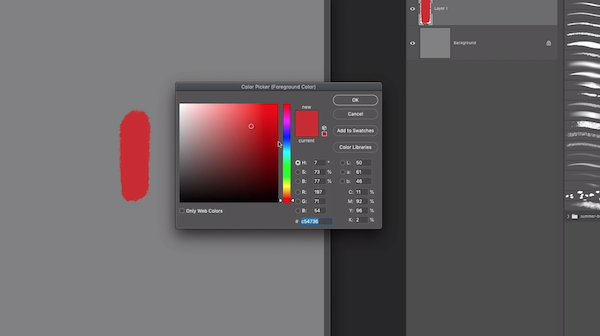
Video screenshot via The Futur Academy
When you do this, make sure the first color you choose isn’t too saturated or dark. Something that isn’t too low or too far on the right of the color window would be perfect.
Gunn then asks that you imagine an arc starting from one extreme corner to the other, such as from the top left to bottom right, passing through your first choice.
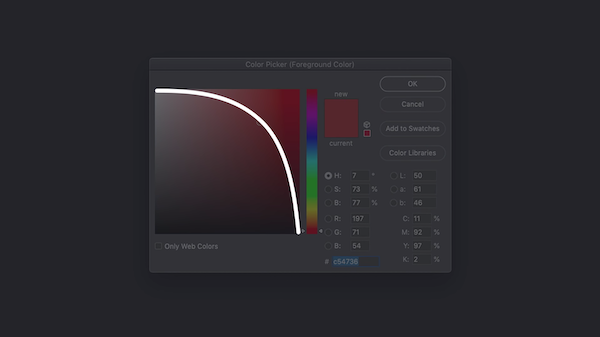
Video screenshot via The Futur Academy
You’ll not only be picking highlights and shades from this arc, but tweaking their hues so they look redder, more orangey, greener, and so on.
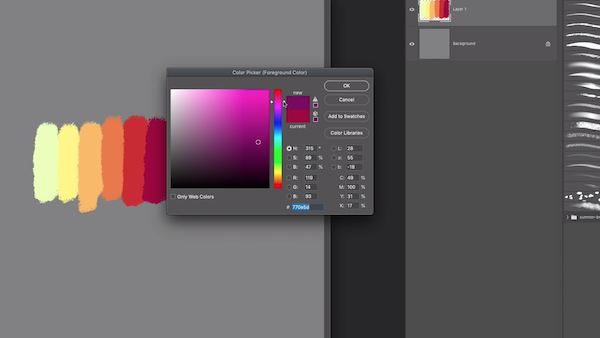
Video screenshot via The Futur Academy
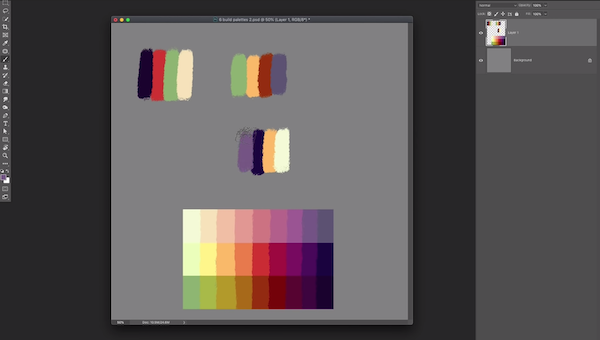
After which, he triples an existing palette of nine colors by making them lighter and darker, adjusting their lightness and saturation for a more diverse variety.
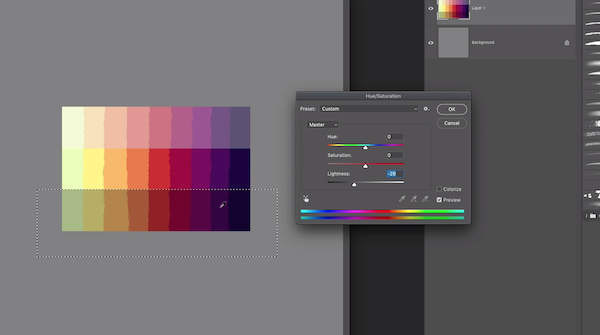
Video screenshot via The Futur Academy
You can create a new set of pastels by adding more lightness and lowering the saturation. For the lower third of the palette, you’ll want to do the opposite by lowering the brightness and cranking up the saturation.
Finally, he selects individual colors from all three rows, combining them to create wholly new color schemes.
Video screenshot via The Futur Academy
Gunn walks you through the whole incredible process in the 11-minute tutorial below.
I used it to color this. I never thought of color the way he showed me.
— Matthew Encina (@matthewencina) March 24, 2020
BTW @grgnn why did you hold out so long? pic.twitter.com/oFJXEjS5IH
[via The Futur Academy, cover image via Shutterstock]
Also check out these recent news


