
Here’s How To Convert Any Image Into A Coloring Page In One Step
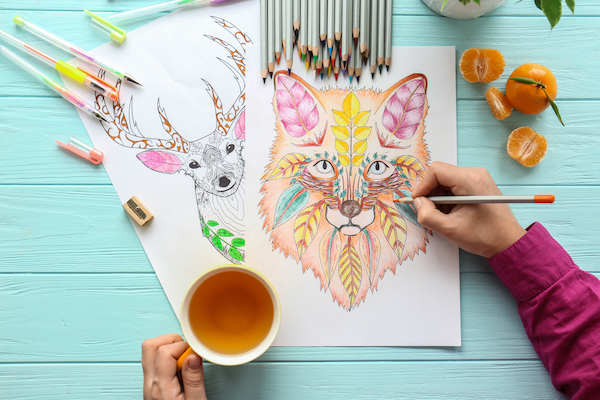
Image via Shutterstock
Whether you’re on the lookout for more recreational activities during the lockdown or intend to turn your work into coloring pages for fellow creative souls, you can do just that in mere seconds thanks to a new AI tool.
The free web tool, simply called ‘Colouring’, promises to convert “any image” into a ready-to-color sheet in a single click, giving you “endless” coloring possibilities in virtually no time.
All it takes is one step and a few seconds. Upload a picture you wish to turn into a coloring page, and the AI will do the rest of the work.
The image-processing AI’s creator, tech enthusiast Guilherme Campos, built Colouring to help take the burden off parents’ shoulders now that they’re constantly at home with bored kids. Of course, adults are welcome to prepare their own coloring pages too in order to while away the time and maintain their sanity.
Colouring is Campos’ debut product launch. “I kept it very simple, but I hope there’s someone out there that will enjoy using it as much as I enjoyed building it,” he wrote.
There are a few drawbacks to this tool, however. Campos explained that the algorithm is better at detecting “edges,” or areas where more contrast can be observed, so it can replace them with contours and lines. For this reason, images with too much “noise” might not translate as well as coloring pages.
Campos suggested using sharper pictures—more specifically, images without too many gradients or small color variations—or simpler illustrations like those from cartoons. But you can certainly try Colouring out with any picture you fancy and see how it turns out.
The creator will continuously update the app such that it reaches “maximum performance.”
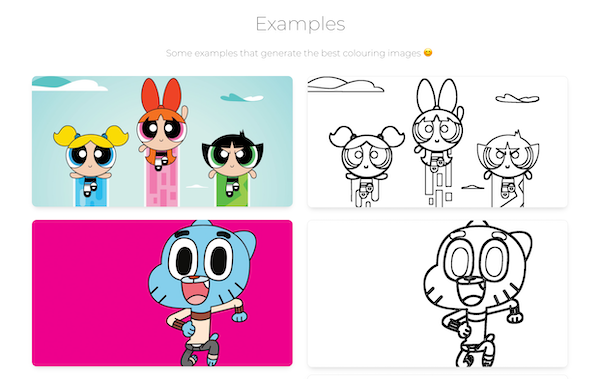
Screenshot via Colouring
[via Product Hunt, images via various sources]
Also check out these recent news


