
Apple Rolls Out Free Fonts From Type Foundries On Mac, Here’s How To Unlock Them

Images via Klim Type Foundry and Commercial Type
Type lovers will revel in Apple’s stunning, newly-licensed system fonts secured from renowned type foundries for macOS Catalina. These are hidden gems, as the new resources aren’t automatically installed in computers.
The new fonts, uncovered by Typography.Guru, were designed by foundries like Commercial Type, Klim Type Foundry, Mark Simonson Studios, TypeJockeys, and Sudtipos.
To unlock them, you’ll have to install the font families manually. The good thing is that this is an easy process. On your Mac, open the FontBook app and select ‘All Fonts’. You’ll be shown a lineup with some names being grayed out, indicating fonts that haven’t been downloaded or have been deactivated.
Simply right-click a name that’s been grayed-out and download the respective font or font family.
Here’s a preview of Apple’s new Latin system fonts:
The awesome Mac OS Catalina fonts you didn’t know you had access to ☞ https://t.co/DwOFvz95Ck pic.twitter.com/Gmj8DISFBe
— Typography.Guru (@TypographyGuru) May 25, 2020
Scroll down to browse the Latin additions more closely. For the complete list of macOS Catalina system fonts, check out Mark Simonson Studios, Apple’s full document.
‘Canela’ (16 styles) by Commercial Type
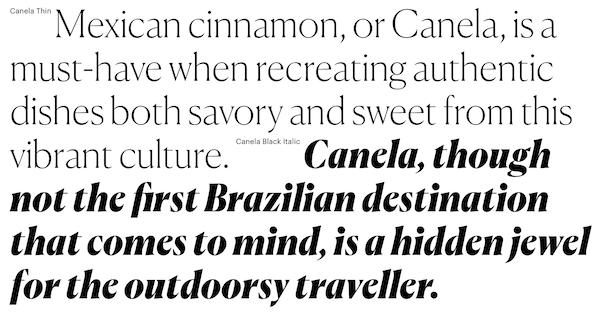
Screenshot via Commercial Type
‘Graphik’ (18 styles) by Commercial Type

Screenshot via Commercial Type
‘Produkt’ (eight styles) by Commercial Type
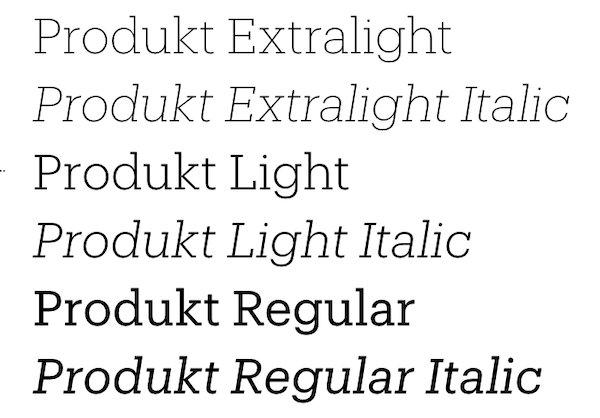
Screenshot via Commercial Type
‘Publico’ (12 styles) by Commercial Type

Screenshot via Commercial Type
‘Domaine Display’ (six styles) by Klim Type Foundry
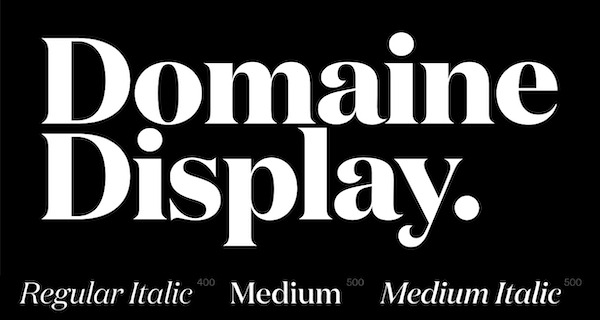
Screenshot via Klim Type Foundry
‘Founders Grotesk’ (17 styles) by Klim Type Foundry
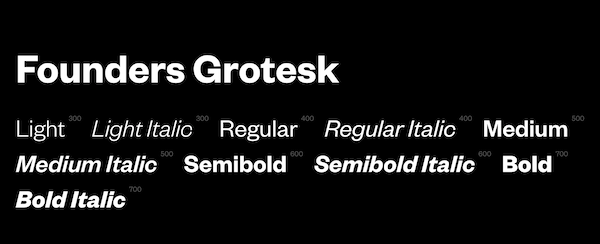
Screenshot via Klim Type Foundry
‘Proxima Nova’ (12 styles) by Mark Simonson Studio

Image via Mark Simonson Studio
‘Sauber Script’ by TypeJockeys
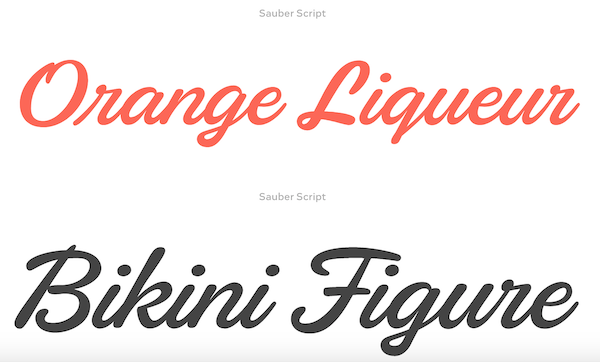
Screenshot via TypeJockeys
‘Quotes Caps and Quotes Script’ by Sudtipos
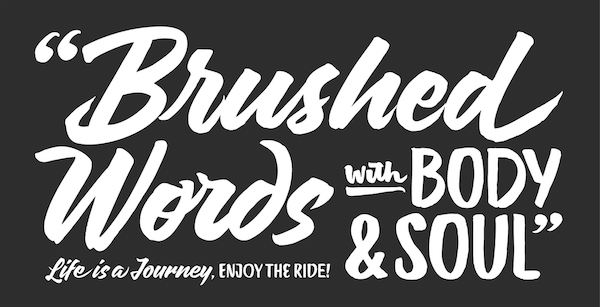
Image via Sudtipos
[via 9to5Mac and Typography.Guru, images via various sources]
Also check out these recent news


