
Google Chrome Add-Ons To Kickstart Your Productivity When Working From Home
Image via Momentum
Now that working from home is the new norm, it’s best to adjust and adapt to the new routines. However, working at home can be challenging as your environment might not be so conducive, leading to possible burnouts.
So, it’s crucial to seek the best practices for you and even utilize helpful resources to ease this process. Try kicking things off on your desktop by installing go-to Google Chrome extensions.
These free add-ons to your browser can make the slightest yet most significant difference to your wellbeing and productivity when working from your abode. Here are some to try out.
Momentum
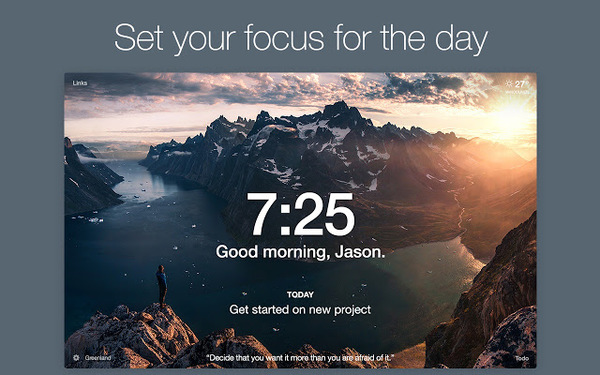
Image via Momentum
This popular extension with over three million users takes over your new tab page with a dashboard personalized for you. It features scenic landscape photographs in the background with a to-do list, weather report, and motivation quotes. Most importantly, it helps you stay on track by reminding you of the tasks for the day every time you open a new tab.
Grammarly
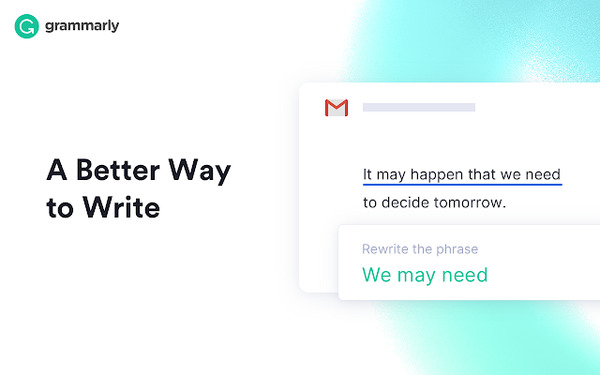
Image via Grammarly
Grammarly is a free browser extension that checks your misspellings, sentence structure and grammar, which can save lots of time when it comes to writing reports or emails. It automically corrects your text found in Gmail, Google Docs, Twitter, Facebook, LinkedIn, and more.
The tool will highlight misspellings in red, point out grammatical mistakes, misuse of punctuation, and even assess your tone of writing. The premium version of the extension can also be purchased if you wish to upgrade it for weekly reports and more.
Focus To-Do: Pomodoro Timer & To Do List
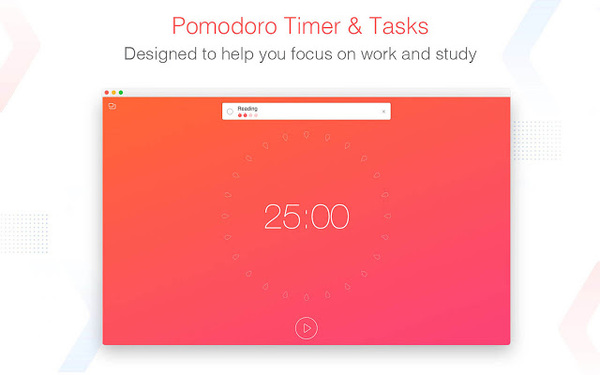
Image via Focus To-Do
This browser extension is a multipurpose to-do list that utilizes the Pomodoro technique of balancing work and rest. You can enter in your tasks and allocate time and rest accordingly. The extension will help you focus on work and reminds you when its time for a break.
Focus To-Do also syncs between your phone and computer so that it can be used interchangeably.
StretchClock - Break Reminder and Office Yoga
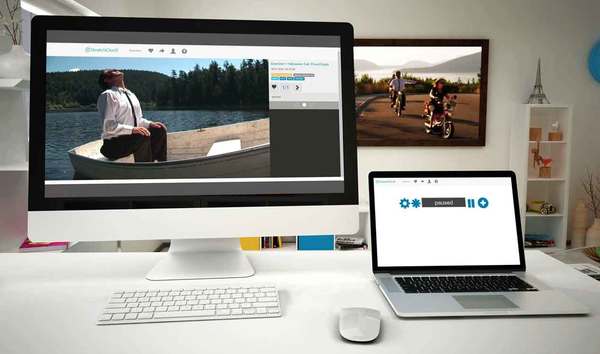
Image via Stretchclock
Stretchclock is a break reminder for those who usually end up with backaches after hours of working in front of the computer. A timer will run in one of your browser tabs and reminds you when it is time to stretch. You can set the timings to suit your daily routine, so it does not interfere during moments of peak productivity.
It also features recommendations for exercise you can do at your desk to avoid aches and injuries while working at a stationary position.
Check out more tools right here.
[via Mashable, cover image via Momentum]
Also check out these recent news


