
Adobe Photoshop’s New ‘Neural Filters’ Create Numerous Looks From A Single Photo
Images courtesy of Adobe Creative Cloud
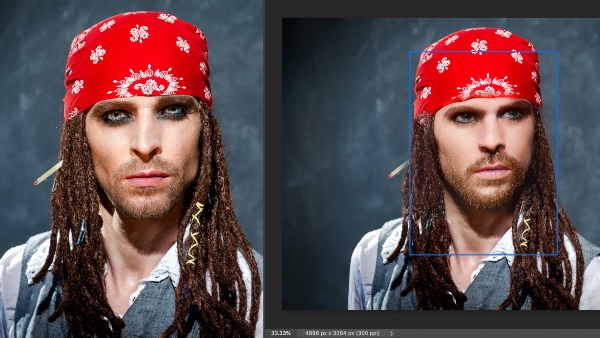
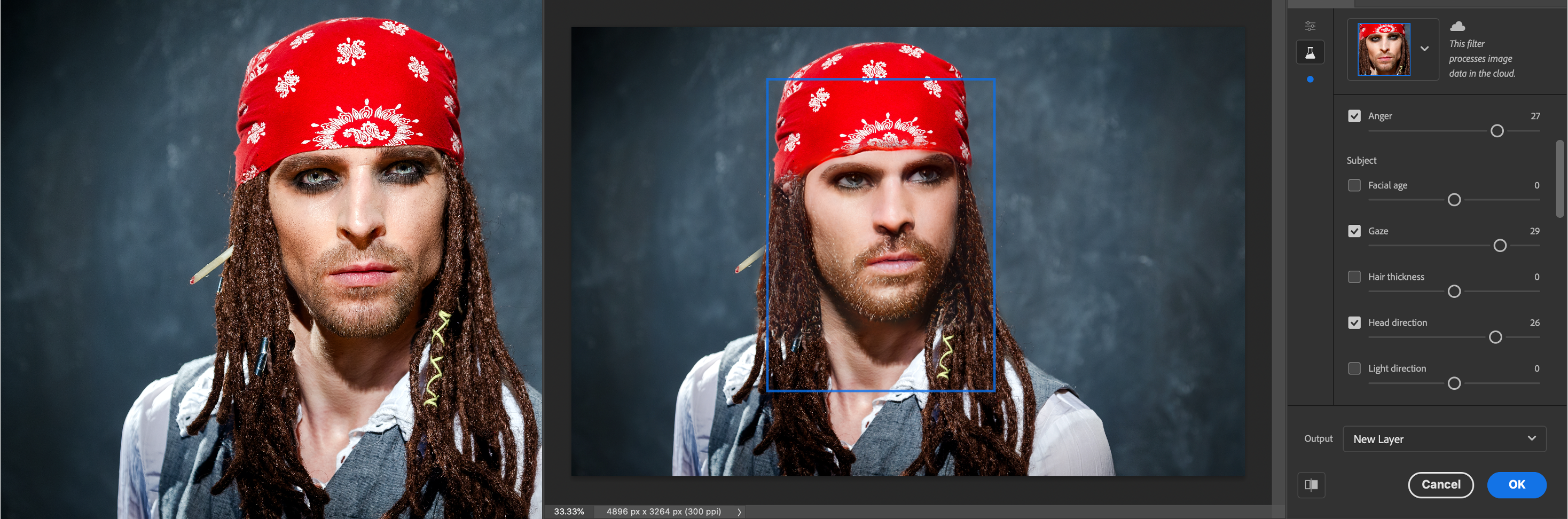
Gone are the days when you’d require hundreds of photos from a shoot and hours of painstaking retouching work. Adobe introduced an entire bevy of Sensei AI-powered ‘Neural Filters’ that let you make the most out of one shot, including “altering” a subject’s emotions and changing a photo’s lighting angles in just a few clicks.
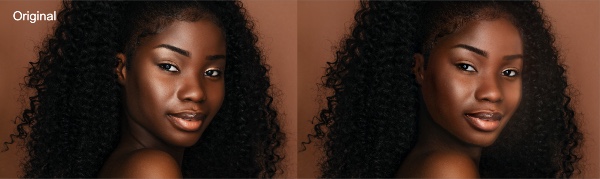
Image courtesy of Adobe Creative Cloud
Adobe teamed up with AI mammoth Nvidia to make these options possible. The company says most of the Neural Filters are still at beta quality, and by the looks of it, they appear to most benefit portraits at the moment.
Using a feature called Smart Portrait, users can instantly make a person look older or younger, thicken hair, tilt faces change expressions and poses, as well as alter lighting, simply by dragging a few sliders. There’s also an improved Skin Smoothing option that quickly and realistically erases blemishes in a single click.
Another notable addition is the ability to add brand new facial features to a photo, such as teeth.

Image courtesy of Adobe Creative Cloud
Elsewhere, users can now effortlessly replace background colors, perform style transfers, and colorize black and white imagery.

Image courtesy of Adobe Creative Cloud

Image courtesy of Adobe Creative Cloud
The features can be located under the Filter menu. From there, you’ll be able to find the ‘Neural Filters’ section.
The filters are now accessible in devices updated to Photoshop 22.0. You can find out more about the new Neural Filters here.
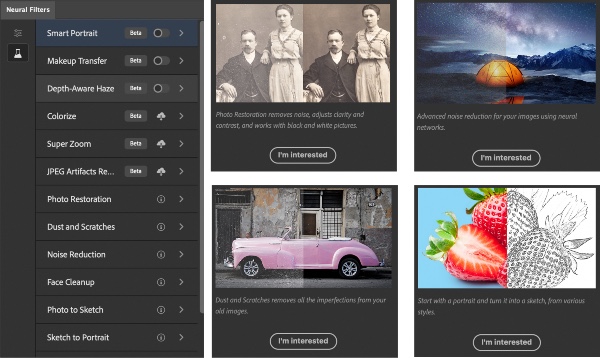
Image courtesy of Adobe Creative Cloud
Click to view enlarged version
Click to view enlarged version. Image courtesy of Adobe Creative Cloud
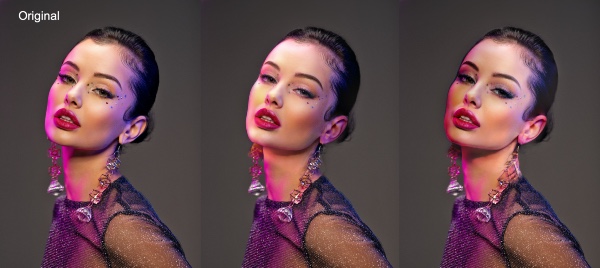
Image courtesy of Adobe Creative Cloud
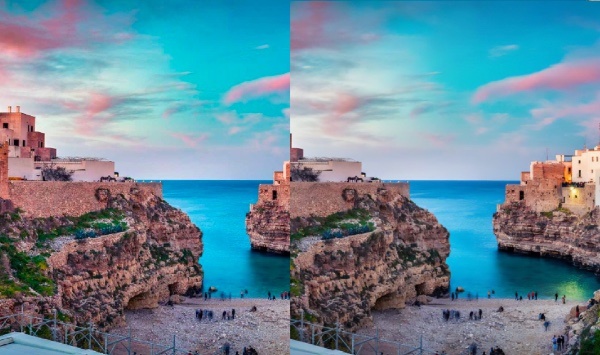
Image courtesy of Adobe Creative Cloud
[via Adobe Creative Cloud]
Also check out these recent news


