
Adobe Simplifies Co-Creating On Photoshop, Illustrator With Asynchronous Editing

Image via Shutterstock
Adobe is streamlining the process of working in teams on Photoshop, Illustrator and Fresco projects during a time when working from home is the default.
The new Creative Cloud updates introduce an ‘Invite to Edit’ feature, which is a simple touch but could be a significant timesaver for creators working on shared documents. The option brings asynchronous co-editing to cloud documents, allowing users to send invitations to collaborators to work on files remotely, one at a time, from their desktops, iPads or iPhones (for Fresco).
To share a project for editing, your PSD or AI files will first have to be saved as cloud documents. The invite button can be found on the top right corner of the Creative Cloud apps; simply enter your teammate’s email address.
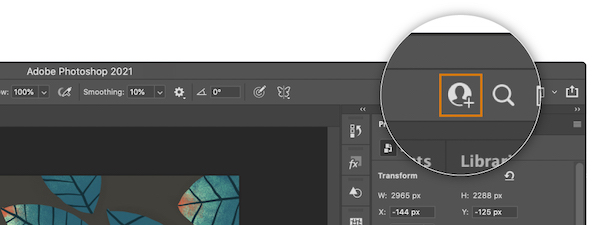
Image courtesy of Adobe Creative Cloud
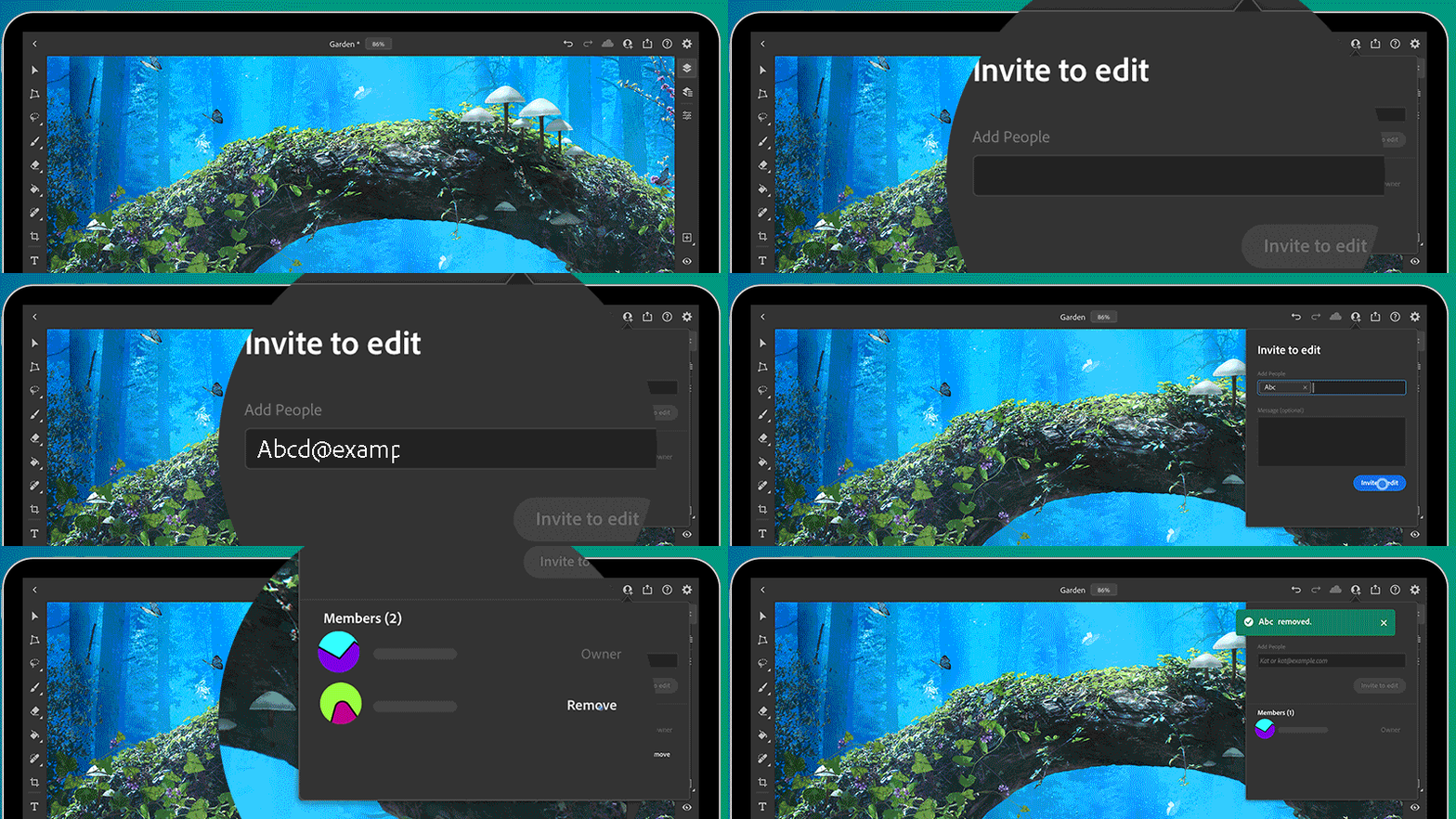
Image courtesy of Adobe Creative Cloud
Aside from the ‘Invite to Edit’ function, Photoshop users can now enable ‘Preset Sync’, which carries presets—namely brushes, gradients, swatches, styles, shapes, and patterns—from one device to another desktop device logged into with the same Adobe ID.
Learn more about the new additions in the video below or in Adobe’s full blog post.
[via Adobe Creative Cloud, images via various sources]
Also check out these recent news


