
Canon Launches Photo Culling App That Uses AI To Organize Your Extensive Albums

Image via Apple
Canon has introduced an app that hopes to assist users to cull an extensive photo library down to their best shots in a less time-consuming way.
Meet Photo Culling, the app that uses a computer-vision algorithm that will help you choose the best image in a series of similar photos.

Image via Canon
Canon incorporates its computer-vision artificial intelligence engine, PHIL. PHIL, which means Photography Intelligence Learning, helps uses pick out their best photos by evaluating them based on sharpness, noise, emotions, and closed eyes.
The app offers two culling options: Whole Culling and Similar Culling.
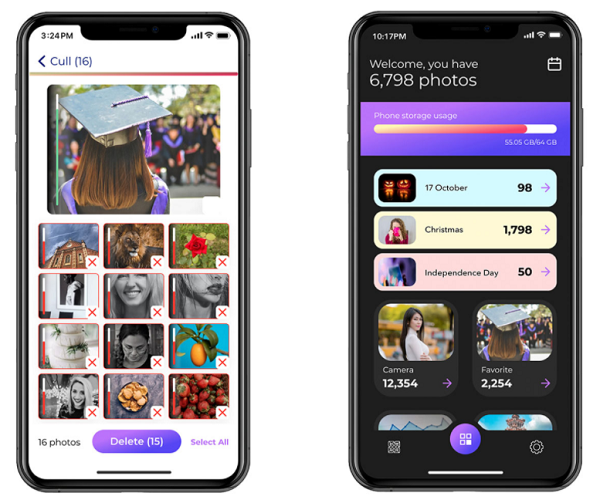
Image via Apple
‘Whole Culling’ mode determines the best shots by scoring against four criteria—sharpness, noise, emotions and closed eyes. The user first set a score threshold, and the app will recommend any images that fair below the threshold will be deleted.
‘Similar Culling’ organizes similar images into groups and identified the group’s first and second-best images. The rest of the images are then marked for culling.

Image via Canon
“If a user selects 10 photos of a dog and 10 photos of a sunset, it will break the photos into two groups and find the best photo of each; one of the dog and one of the sunset,” Canon explained.
The app also offers additional organizational features and shows users their total photo count and storage. It also has dynamic event albums where it categorizes and places images into albums based on events throughout the year.
The iOS app is free to download, but users will need to pay either a month’s US$2.99 or US$14.99 per year subscription to use the software after the three-day trial period.
[via PetaPixel, cover image via Apple]
Also check out these recent news


