Don't miss the latest stories
Advertise Newsletter
Network
  • The Creative Finder
  • The Bazaar
  • Deals
  • Status Is Down
Community
  • Sign up / Log in
  • Discussion Forums
  • Calendar of Events
NEW

Follow

Share this

Tutorial
Photography
Photoshop
Video
  • Video
MENU
  • Advertise with us
  • Submit tip/feedback
  • Work with us
  • Subscribe to newsletter
  • Subscribe to RSS
Advertise here
Advertisement

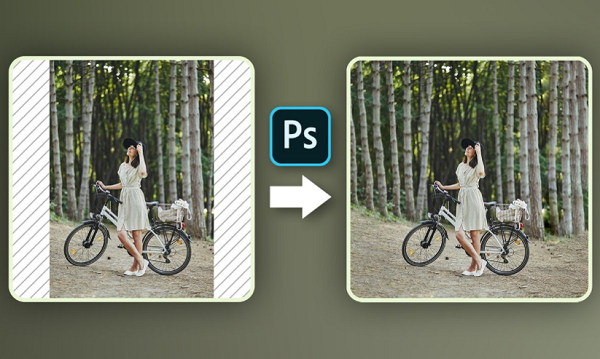
Watch: Hate Cropping Photos? Here Are Three Ways To Expand Them In Photoshop
By Izza Sofia, 29 Mar 2021

Subscribe to newsletter
Like us on Facebook

Image by PiXimperfect, featured with permission

Have you ever snapped a photo and wished you would have stood a step farther back or used a slightly wider lens?

Whether you need to stretch your image for your Facebook cover photo or preserve the details in the image for the ‘gram, Unmesh Dinda of PiXimperfect has presented three different techniques to expand photos and fill in empty areas to create seamless images on Photoshop.

In this tutorial, the Photoshop master shows how to use the Content-Aware Fill tool, the Healing Brush tool, and Adjustment layers to effectively extend images with tricky backgrounds. Unmesh also shares an additional “flipping” technique that helps you achieve desired results.

Advertisement
Advertisement


Watch the video below.


[via PiXimperfect and featured with permissIon]
Receive interesting stories like this one in your inbox
Advertise here

More related news

Advertise here
Also check out these recent news
Web Design
Link to news page

When Your Website Goes Down, This Is the Page Customers Meet Instead

2027
Link to news page

2027 Already Has A Color Of The Year And It’s Beginning On ‘Grounded’ Territory

IKEA
Link to news page

IKEA & Xbox Press Play On Furniture & Storage Inspired By The Iconic Controller

Fashion
Link to news page

Vogue Presents ‘United Flags of Fashion’ With Top Designers For All 50 States

Coca-Cola
Link to news page

Coca-Cola Pours Fresh Life Into Its Iconic Branding With Worldwide Redesign