
Apple Has Hidden A Retro ‘Hello’ Screensaver With Colorful Themes In macOS
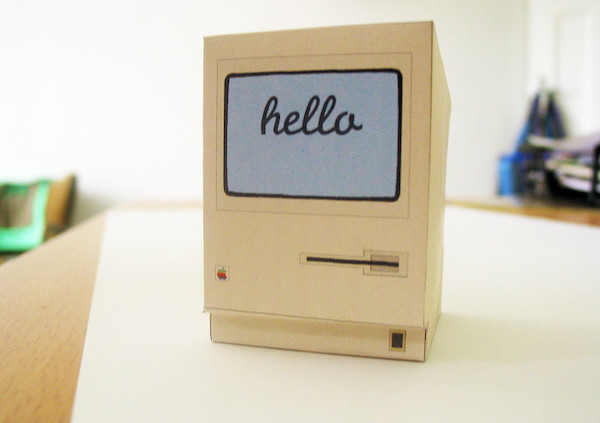
Image via Sven / Flickr (CC BY-SA 2.0)
It’s no secret that Apple has been harking back to its heritage of late. Not only has the company brought back iMacs, but the desktop computers also arrive in rainbow colors à la the old iMac G3.
But the tributes don’t stop there. As discovered by 9to5Mac, buried within the upcoming macOS Big Sur 11.3 is a screensaver inspired by the ‘Hello’ display of old Macintosh computers. It will, of course, be available in the new iMacs, but can also be installed in Macs running macOS 11.3.
The screensaver, uncovered after Apple seeded the RC update of macOS Big Sur 11.3 for developers this week, will flash a spectrum of colors and cycle through multiple languages, though this option can be switched off to show only your native language.
It will also arrive with themes like ‘Soft Tones’, which features pastels; ‘Spectrum’, which showcases more vivid hues; and a muted ‘Minimal’. Light and dark mode settings will also be available.
Now, here’s the catch: the variant won’t be a default screensaver in non-M1 Mac computers. If you’re not using the new iMac, you’ll have to force it with a few simple steps.
Per MacRumors, here’s how to install the screensaver when macOS Big Sur 11.3 officially comes along. Under the System folder, head over to Library and select Screen Savers, where you’lll find the ‘Hello.saver’ file. Double-click it and install the file.
You’ll then be able to access the screensaver along with all your present screensavers, which are located under System Preferences > Desktop > Screen Saver > Screen Saver.
The new Hello screensaver actually also works on non-M1 Macs. And it looks great. 🔥 pic.twitter.com/qMcPoyt0QN
— Bas van der Ploeg (@basvanderploeg) April 21, 2021
[via MacRumors and 9to5Mac, cover image via Sven / Flickr (CC BY-SA 2.0)]
Also check out these recent news


