
Instagram Makes Hiding ‘Like’ Counts An Option For All Users
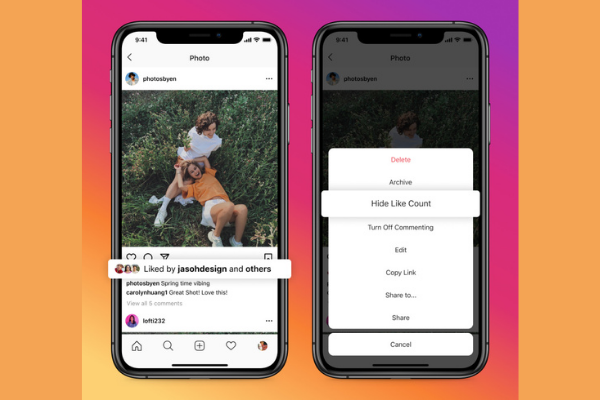
Image via Facebook
For the last couple of years, Instagram has been trialing hiding like counts on posts. Now, the social media app will finally allow all users the option of hiding their public like counts on their profiles.
Instagram had originally tested hiding like counts to make the app a less pressurizing experience for content creators. However, it received mixed feedback, with some users preferring the option of not worrying about how many ‘likes’ their posts got, while some found it difficult to get a sense of what was popular.
Starting today, users will have the option to hide like counts on all posts, so they won’t see any like counts at all.
There’s also an option to hide the number of likes on your own posts, so followers won’t be able to see your like counts either.
Users can additionally choose to be selective with which posts to show or hide like counts, as Instagram will allow them to make a choice before sharing a post. The setting can be switched on and off, even after the post has gone live – so you will always have the option of hiding your likes for existing posts.
In the next few weeks, these new updates will also be rolling out to Facebook, so you’ll have the choice of hiding or keeping your posts’ like counts on that platform, too.
To stop viewing all likes, head over to settings, type “Posts” and select ‘Hide Like And View Counts’.
To switch off the visibility of your profile’s like counts from everybody, tap the three dots on the top right corner of a post, and select ‘Hide Like Count’.

Image via Facebook
[via Facebook, images via Facebook]
Also check out these recent news


