
Apple’s macOS Monterey Is Available For Download As Free Public Beta: Here’s How
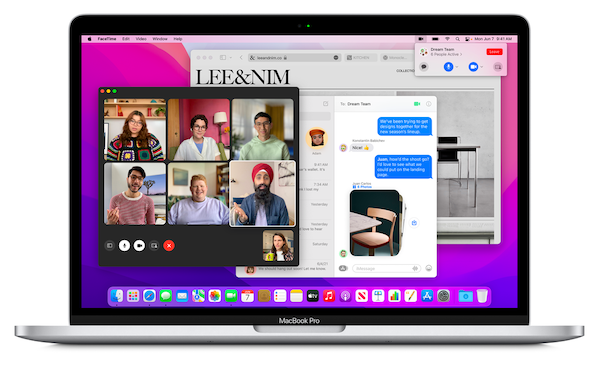
Image via Apple
Apple revealed the latest version of its Mac operating system, macOS Monterey (or macOS 12), during June’s Worldwide Developers Conference (WWDC). Now, it’s available for download as public beta.
macOS Monterey may be deemed as a more “minor” update, as opposed to a complete overhaul, but includes new features such as Universal Control, which lets users operate both a Mac and iPad simultaneously using just a single mouse; and SharePlay, which makes it possible to watch television shows and movies together over FaceTime.
Updates to the Notes app, including better collaborative features, and bringing Shortcuts to Mac are also expected. And, FaceTime is finally being extended to Android users, too.
The operating system’s focuses are summarized perfectly in its succinct description: “Connect, share and create like never before.” Undoubtedly, it was designed to make working from home and connecting at a distance as pain-free as possible after this year past revealed just how important it is.
While the beta is now available for download, it must be mentioned that it’s advisable only to do so on a secondary device, as betas often still have bugs.
It can be accessed at Apple’s beta website, after signing in with your Apple ID and enrolling your Mac.
Click the button to “Download the macOS Public Beta Access Utility,” then follow the prompts after the file has been downloaded, and check the update tool in System Preferences.
The beta will be downloaded just like a regular software update. Happy testing!
[via CNET, image via Apple]
Also check out these recent news


