
Android Officially Rolls Out Ability To Control Your Phone Using Your Face
Video screenshot via Android
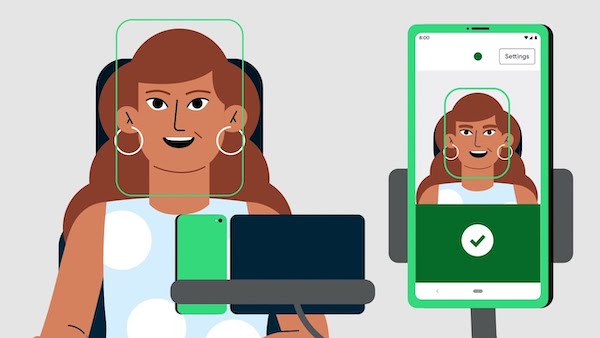
This week, Google publicly rolled out new accessibility features for Android, which will now allow users to control their smartphones by using facial gestures.
One of the updates, ‘Camera Switches’, is a feature that detects users’ facial movements through the device’s camera. Users can then set six gestures—look right, look left, look up, smile, raise eyebrows, or open their mouths—to correspond to tasks on the smartphone.
For example, users can set “look right” to open notifications, or “look up” to return to the home screen.
According to CNET, Camera Switches is the new version of Switch Access, a feature Google released in 2015 that allowed users with limited dexterity to access their devices using adaptive switches. With the update, users can now operate their devices without using their hands or voices.
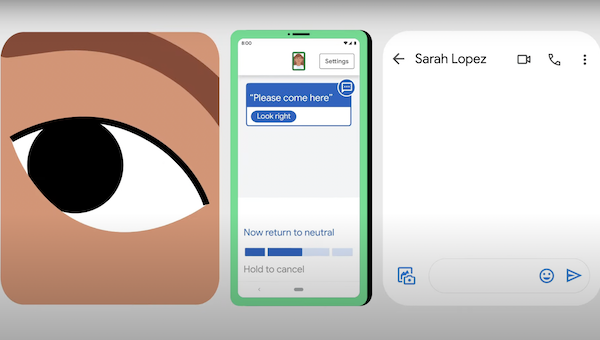
As an addition to Camera Switches, Android has released a new app: ‘Project Activate’. With this app, users making use of the facial gestures can customize actions to be linked to a certain function. Making a phone call to a particular person could be as easy as raising an eyebrow.
It’ll also allow users to answer yes or no to questions, take a moment to type their response into a speech-generating app, or to send a text to their caregiver.
Video screenshot via Android
Currently, Project Activate is available on the Google Play Store in the US, UK, Canada, and Australia.
To access Camera Switches, users can head to their smartphone settings, tap on ‘Accessibility’, then ‘Switch Access’ under the ‘Interaction Controls’ section. Simply grant permission to the feature and it’ll start working.
It’s heartening to see that, as technology progresses, not only are tech companies upgrading smartphone cameras or processing chips, but they’re also creating better accessibility tools for those who need them most.
[via CNET, cover image via Android]
Also check out these recent news


