
Adobe Launches Photoshop & Premiere Elements 2022 With New One-Click AI Tools
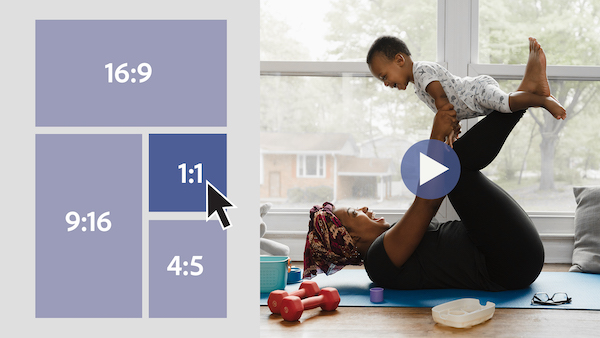
Image courtesy of Adobe Creative Cloud
If you’re pretty new to photo and video editing, or simply need to make a few crucial tweaks, Adobe’s Photoshop and Premiere Elements software might be right up your alley, keeping core professional features of the flagship versions while streamlining the process. And now, as you’re perhaps preparing to send greeting cards to loved ones, Adobe has unveiled the 2022 editions of the social media- and collage-friendly apps.
The all-new programs include Adobe Sensei AI-powered tech designed to “do the heavy lifting” for you in as little as one click. Preview the latest additions below, and find out more about them in Adobe’s blog post.
Photoshop Elements 2022
Warp photos to fit any shape
So you’ve found a perfectly composed photo, but there’s an element that doesn’t fit the theme you were looking for. Not to worry; new Adobe Sensei AI tech in Photoshop Elements lets you apply another photo in there and wrap it to adhere to the shape of an object, creating a design for a coffee mug or a reflection in a pair of sunglasses. This means you can also naturally insert images into mockups without the fuss.
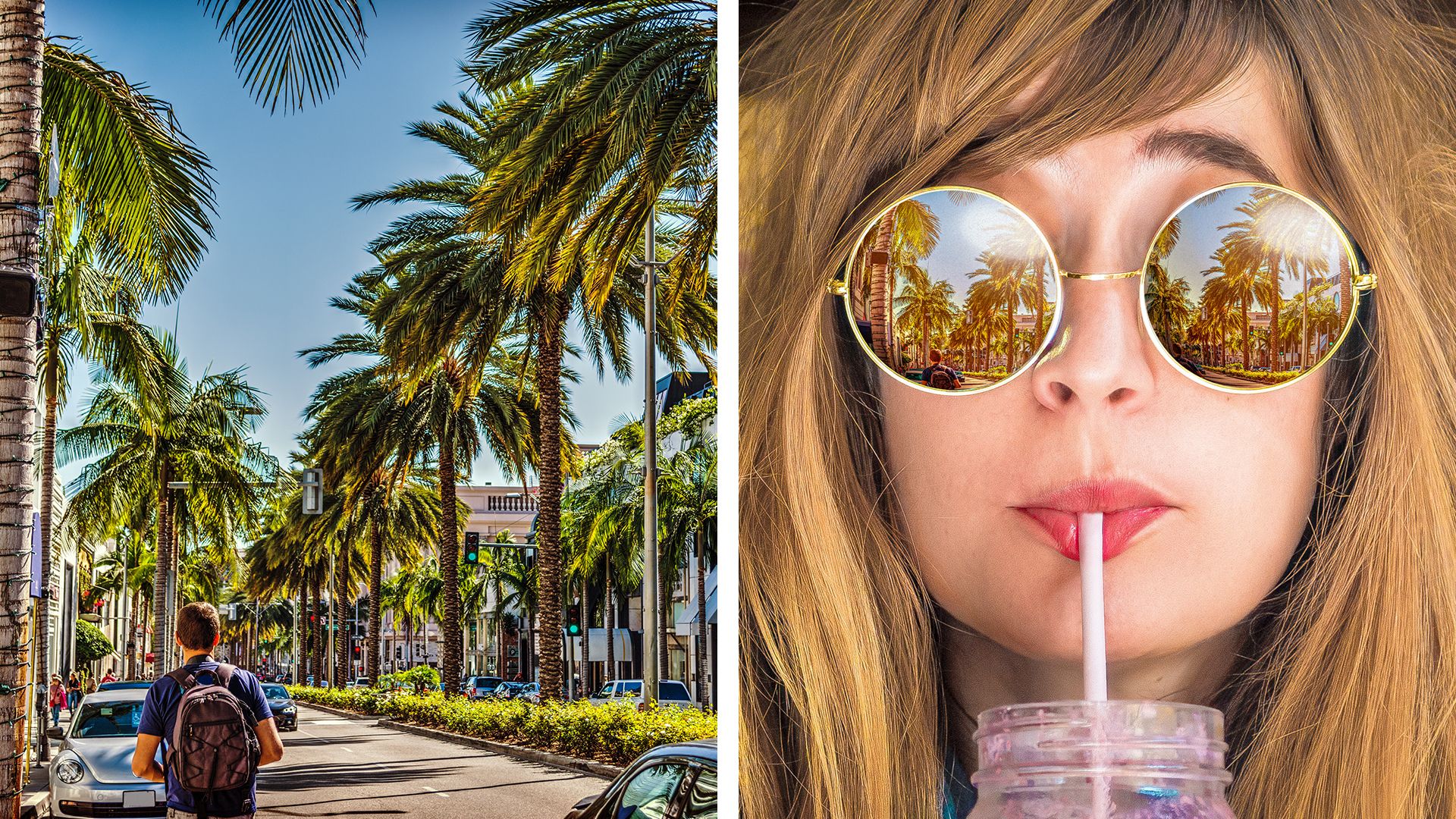
Image courtesy of Adobe Creative Cloud
Transform photos into art in one click
With the more advanced Adobe Sensei AI for Photoshop Elements, you can now apply an effect inspired by renowned artworks or styles onto the entirety or part of a photo. Artistic effects can also be adjusted if you’re not planning on going all out on a theme.
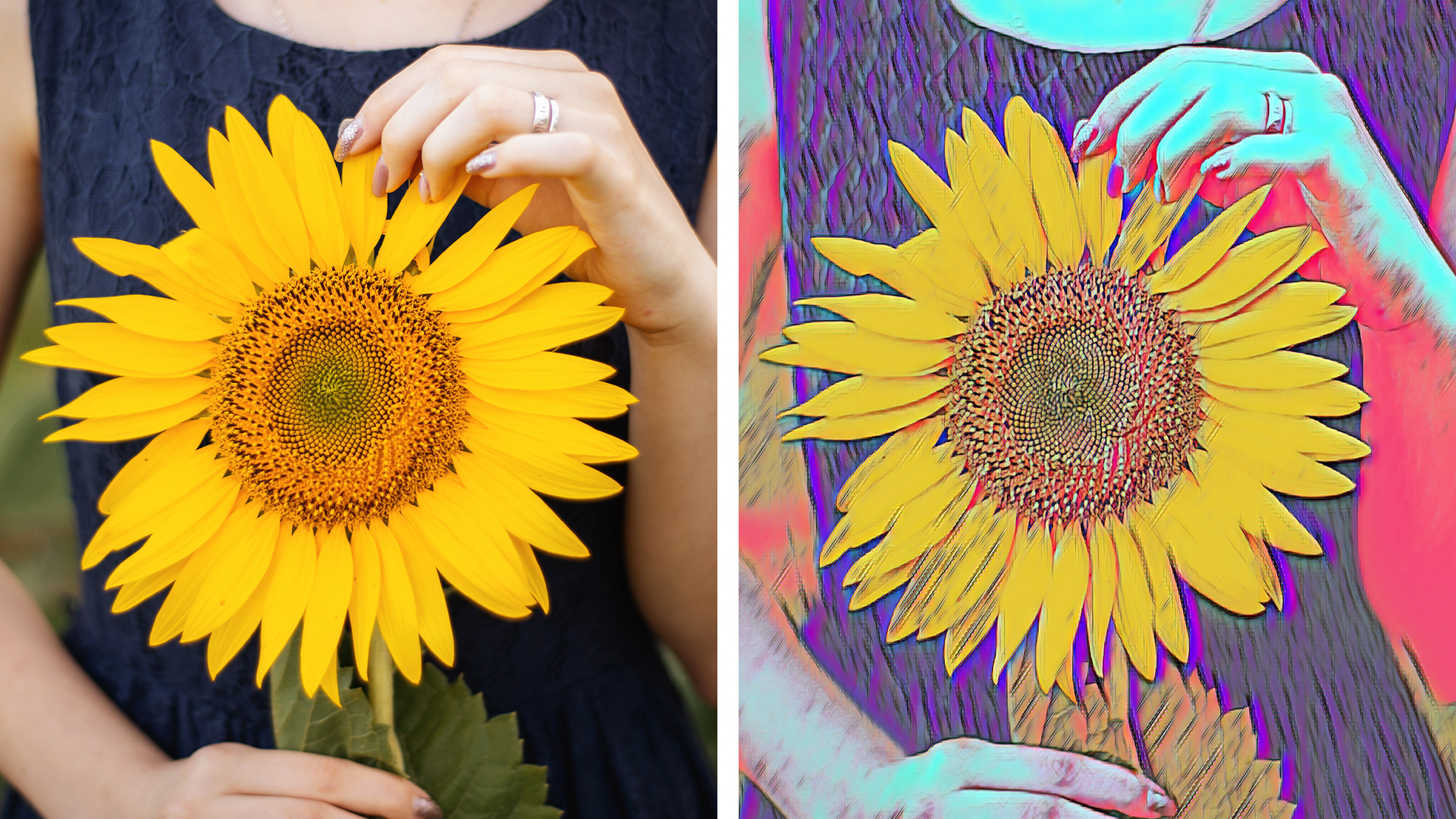
Image courtesy of Adobe Creative Cloud
“Animate” photos with moving overlays
Video courtesy of Adobe Creative Cloud
Here in time for the holiday season, Photoshop Elements 2022 offers capabilities to create “not-so-still photos” by allowing you to sprinkle images with moving hearts, snowflakes, sparkles, or animated frames. The results can then be saved as MP4s to be easily shared online or in a text message.
Premiere Elements 2022
Select the ideal aspect ratios for various social media formats
As you know, there is an ideal aspect ratio for every sort of social media post. Premiere Elements 2022 lets you easily export videos in square or vertical versions without erasing content, making it simpler to create variations of a single video for different purposes. Non-horizontal footage can also be edited with optimized motion titles, mattes, and backgrounds.
Image courtesy of Adobe Creative Cloud
Auto-reframe subjects
Videos can now be reframed to “follow” a subject, no matter the aspect ratio. It’s a plus for fast-moving memories, like one of your kid at the playground.
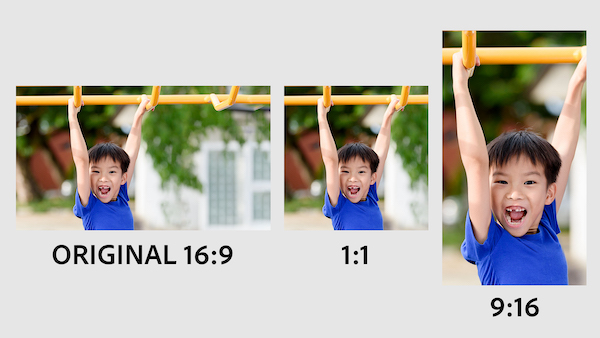
Image courtesy of Adobe Creative Cloud
Across Photoshop and Premiere 2022, Adobe has also introduced four new Guided Edits teaching beginners how to enhance pet imagery, tweak lighting and colors, make more precise selections, and more.
To find out more about the newest additions to these apps, head here.
[via Adobe Creative Cloud]
Also check out these recent news


