
Adobe Photoshop Removes All Hassle With Selections—Just Hover Objects And Voilà
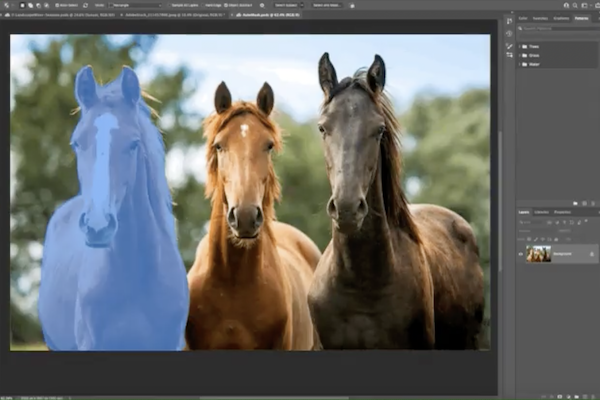
Image via Adobe Creative Cloud
Among the entire slew of upgrades announced at the annual Adobe MAX creativity conference, one of the most important inclusions highlighted by Adobe is undoubtedly the time-saving upgrades to making object selections on the desktop version of Photoshop.
Soon, users will be able to select an object, in one piece, within an image just by hovering it. No more clumsy selections, or—egads—the lasso tool. See how the auto-masking feature works:
Video via Adobe Creative Cloud
It’s even quicker than one click!
Adobe is training its artificial intelligence (AI) machine, Sensei, to recognize more categories of objects as time goes on, making its Object Selection Tool more accurate than before.
If you still find that an object isn’t completely selected, simply drag a marquee over the undetected area to include it too.
Elsewhere, Photoshop has introduced a new one-click option that allows you to mask all objects in a layer. Instead of having to mask each item one by one, you can now generate masks for all the objects detected within the same layer. Just one click, and you’re done!
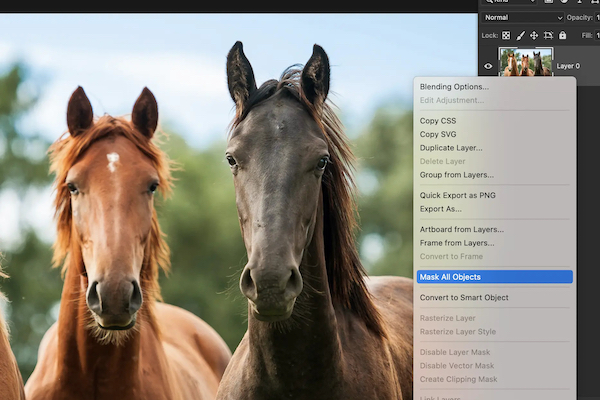
Image via Adobe Creative Cloud
For more information on the new features coming to Photoshop, head here.
[via Adobe Creative Cloud]
Also check out these recent news


