
Microsoft Makes New AI-Powered ‘Designer’ Tool Available In Public Preview
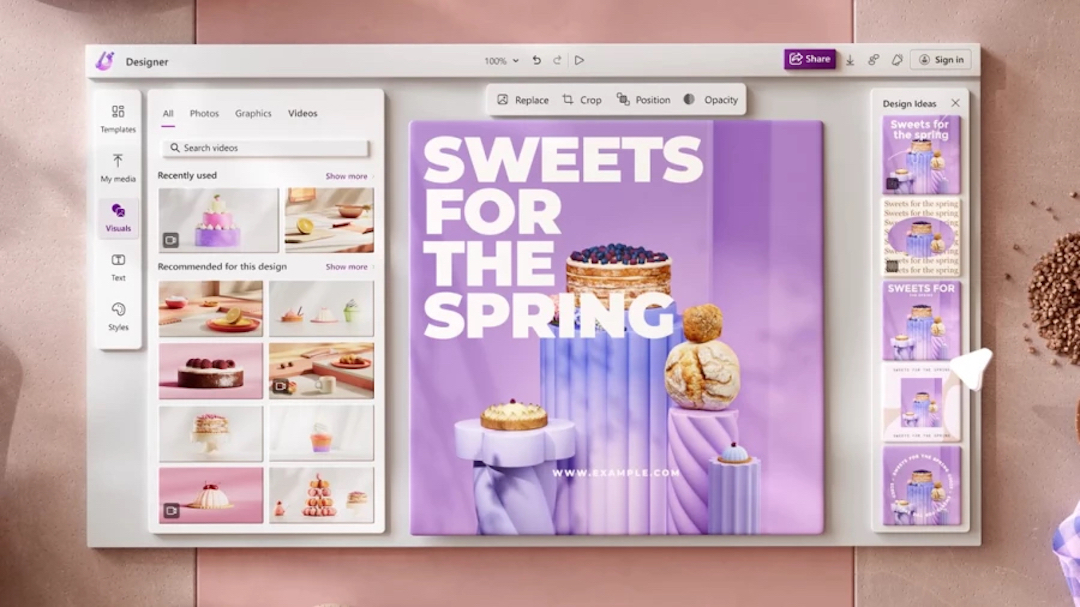
Head’s up! Creatives can now try out Microsoft’s latest design tool, Microsoft Designer, in a recently-opened public preview. First teased in October last year, the software will allow users to design posters, presentations, digital invitations, and social media graphics—all powered by artificial intelligence (AI).
According to the company, more creatives are demanding tools that allow them to be both “productive and creative.” With the introduction of Microsoft Designer, these creators will now simplify the working process by getting help starting on a new project and augmenting workflows.
The application has been seamlessly integrated into the technology giant’s Edge browser, giving feedback to designers on how to create the most effective “unique and high-quality graphics” that could help boost content.
Those who prefer to focus on the visual components of a project will be able to do so with the accompanying text feature. Just type a simple phrase and choose from a list of copy suggestions, be it penning a headline or body paragraph.
So, I tried @MSFT365Designer and what?! This is incredible. You can create images AND an editable template within seconds 🤯#MicrosoftDesigner #AI #ArtificialIntelligence #MachineLearning #FutureTech #EthicalAI #Innovation #AIforGood pic.twitter.com/GheTOOjv6l
— Varun Kumar 🣠(@vroonstudio) April 27, 2023
In addition, Designer can help instantly generate the relevant hashtags social media managers may choose to use when uploading their posts online, complete with a witty caption that’ll draw in the audience’s attention.
That’s not all—users can play around with novel animation features, such as adding a pop of motion to drawings to bring characters to life or adding an animated background to a static object. Transitions can also be used together with text for some extra razzle-dazzle.
Unleash your creativity and imagination with the AI-powered @msft365designer. Designer starts with your ideas and content to help you generate custom, stunning designs and unique-to-you images fast. Try it here: https://t.co/l33zarw3ax pic.twitter.com/FebwiBjI5G
— Microsoft 365 (@Microsoft365) April 27, 2023
Head over to the official website to try the updated version of the preview application, or sign up to be informed of upcoming features. Soon, users on Designer will be able to fill, expand, erase, and replace the backgrounds of images to create more compelling graphics.
Microsoft Designer can help turn your ideas into stunning designs, lightning fast, with AI. https://t.co/YaH0yDHPJc pic.twitter.com/HsqfJ9oqy2
— Yusuf Mehdi (@yusuf_i_mehdi) April 27, 2023
I've been exploring the incredible world of #MicrosoftDesigner, and I have to say, it's been a game-changer! In this thread, I'll break down its features, benefits, and why you should definitely give it a try.👇 pic.twitter.com/LMHgv4pin1
— Sezan Sezgin (@dr_sezansezgin) April 18, 2023
[via TechCrunch and Microsoft, cover image via Microsoft]


