
Twitter Users Are Rejoicing That There’s A Way To Turn X Icon Back Into The Bird
Photo 285052985 © Rafael Henrique | Dreamstime.com
Twitter took an ax to its iconic blue bird, and now the “everything” social media company is going simply by X. Fly free, little birdie, fly free.
Understandably, the new black and white X icon isn’t for everyone. Although Elon Musk has likened it to the Art Deco style, others are perceiving it to be more dystopian, with adult undertones.
If you belong in that camp, you might be delighted to know that you can switch back to the old logo on your phone, as revealed by Australian content creator Belinduh Pyne, who has shared a tutorial on the platform formerly known as Twitter.
I refuse to have the X app icon on my iPhone so I changed it back to the Twitter bird icon. And I’m going to show you how to change it too: pic.twitter.com/DK6okt7pPD
— Belinduh Pyne (@belinduhpyne) July 30, 2023
“I refuse to have the X app icon on my iPhone, so I changed it back to the Twitter bird icon,” Pyne quips.
iPhone users can customize the Twitter icon showing up on their home screens, or any other icon for that matter, by opening the Shortcuts app.
On Shortcuts, tap ‘+’ on the top right to create a new shortcut, then select ‘Open App’. Tap on the word ‘App’, then search ‘X’ to find the rebranded app.
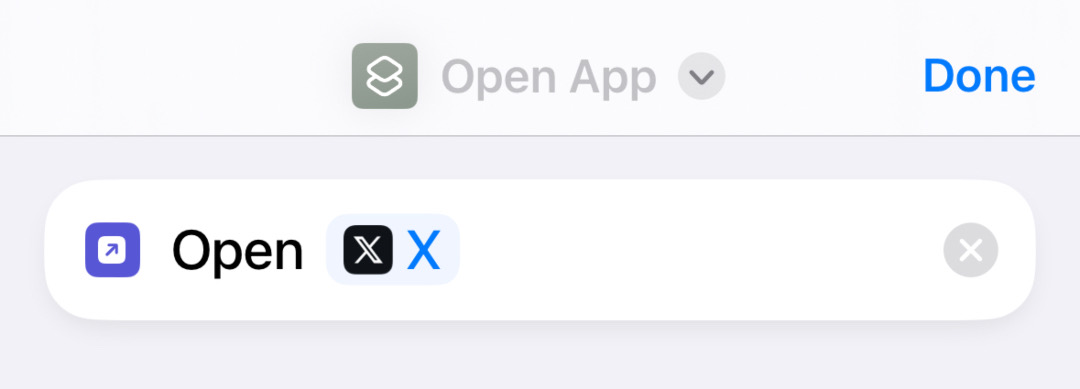
Screenshot taken on iPhone
Next, press the share button on the bottom of the screen, and pick ‘Add to Home Screen’, where you’ll be able to change the name and icon of the app on your device. To revert to the blue bird, you’ll just need to upload an image of the old mascot, which should be readily available via a simple Google search.
If that is easier for you pic.twitter.com/y6pPY0iy6M
— Belinduh Pyne (@belinduhpyne) July 31, 2023
The ability to personalize app icons has been available since 2018, according to Mashable, which has done up its own tutorial too.
For Android users, Android Police has published an article on how you can achieve the same effect using third-party launchers.
Now, you can live in blissful ignorance with the ex, while the rest of the world grapples with X.
Twitter X users have spun this “hack” into their own by replacing the new emblem with graphics depicting how they feel about the redesign.
Did it. But I made my own. Still has an X though. pic.twitter.com/B8V3q6Sejw
— It's Mike (@mjprovine) July 31, 2023
Beware. Results can be amusing. https://t.co/YXGy36XvPX
— Daniel Ellis (@djwellis) July 31, 2023
I just created a rainbow Twitter icon and it actually makes me really happy https://t.co/CtKmQDRx7P pic.twitter.com/XGDiZOWvCS
— 🌈 Alana Kinrich, MD (@AlanaKinrich) July 31, 2023
I’ve done my own version…can you spot it? pic.twitter.com/nfpf7TvrVi
— Dave Willett (@dpdoubleu) August 1, 2023
If you’re still blue about the bird, all hope is not lost.


