
Google Chrome Marks 15th Anniversary With Revamped Colors And Enhanced Safety
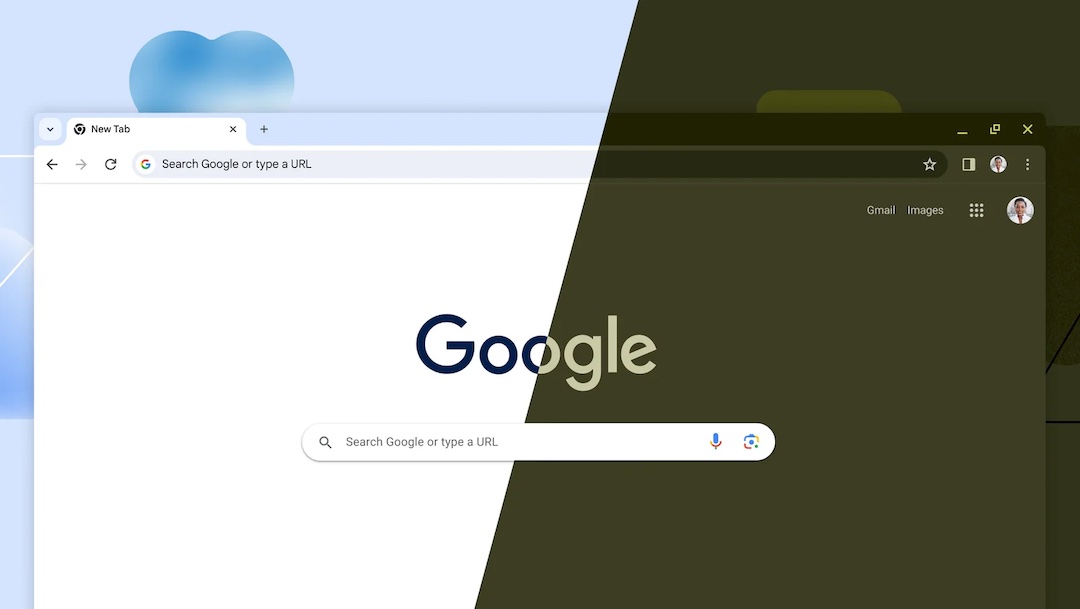
Google Chrome is marking its 15th year on the digital stage. Though it hasn’t thrown a grand celebration, this milestone offers an opportunity to reflect on the journey of a browser that has become an integral part of many online. In its 15th year, Chrome has chosen to evolve with a redesigned look and reinforce its commitment to user safety.
The first noticeable change is the option for users to personalize their Chrome background, a nod to Google’s Material You design language. It’s a small touch, but it adds a dash of individuality to your browsing experience. This feature can be accessed through the ‘Customize Chrome’ button, positioned at the bottom of the homepage.
Video via Google
Users can choose themes and explore a spectrum of colors. Chrome even switches to your chosen theme, ensuring your browsing experience remains visually cohesive.
In terms of aesthetics, users can opt for the classic light mode, the more soothing dark mode, or a setting that syncs with their computer’s preferences. The customization settings, however, may vary depending on your logged-in Google account, so keep an eye out for that.
Image via Google
Chrome’s drop-down menu has expanded its repertoire to provide quicker access to essential tools. You’ll now find convenient shortcuts to Google Password Manager and extensions, streamlining your browsing experience.
On Chrome’s web store, an AI-powered extensions tab simplifies the quest for productivity-enhancing add-ons, while an Editor’s spotlight section offers up handy recommendations.

Perhaps the most substantial update comes from enhanced safety. Google has beefed up its Safe Browsing technology, enabling real-time site checks. According to Google, phishing domains nowadays only last 10 minutes, making them hard to catch. This fortification promises stronger protection against the lurking threats of phishing and malware, bolstering online security. As the update rolls out to Chrome over the next few weeks, the tech giant hopes to see a 25% improvement in protection.


