
Apple Debuts Useful & Accessible ‘Double-Tap’ Hand Gesture In WatchOS

Apple has introduced the Double Tap feature in the watchOS 10.1 update for the Apple Watch Series 9 and Apple Watch Ultra 2 devices. This new addition allows users to perform various functions on their Apple Watch using just one hand. It won’t just be handy for multitaskers but also users with mobility issues.
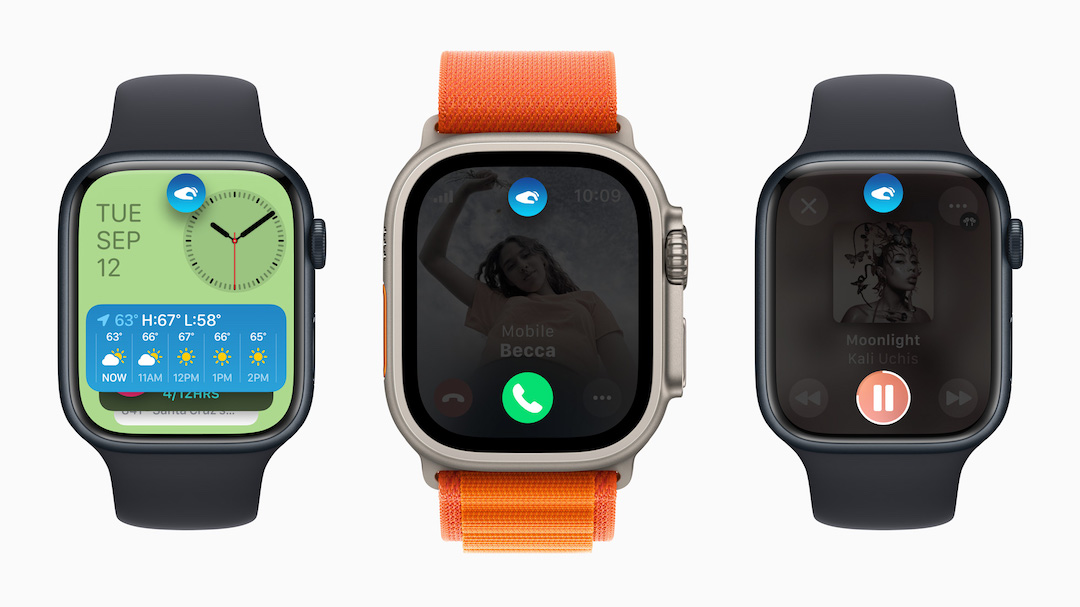
To activate Double Tap, users simply need to tap their thumb and index finger together twice. The Apple Watch will display a small icon to confirm that the gesture has been recognized. The move relies on the device’s built-in sensors, which detect subtle finger movements and monitor blood flow when the fingers are positioned correctly.
Image via Apple
Double Tap offers a range of functions, including opening the Smart Stack, managing phone calls, reading and responding to messages, controlling timers, snoozing alarms, playing or pausing media, and adjusting flashlight modes, among others. While third-party apps can utilize Double Tap through incoming notifications, there is currently no Double Tap API for full customization.
It’s important to note that Double Tap is exclusively available on the Apple Watch Series 9 and Apple Watch Ultra 2, thanks to the S9 chip in these models. To use Double Tap, users must update their devices to watchOS 10.1 through the Apple Watch app on their iPhone.
However, Double Tap has some limitations. It won’t work when Low Power Mode, Sleep Focus, Theater Mode, or Water Lock is activated, and users need to raise their wrist to wake the Apple Watch before using the feature.
You can also disable the feature via the settings just in case you’re afraid to set it off on accident while engaging in different activities or if you feel like you prefer navigating your device the old-fashioned way, so to speak.


