
Status Is Down Launches MCP for ChatGPT, Claude and Cursor AI Workflows
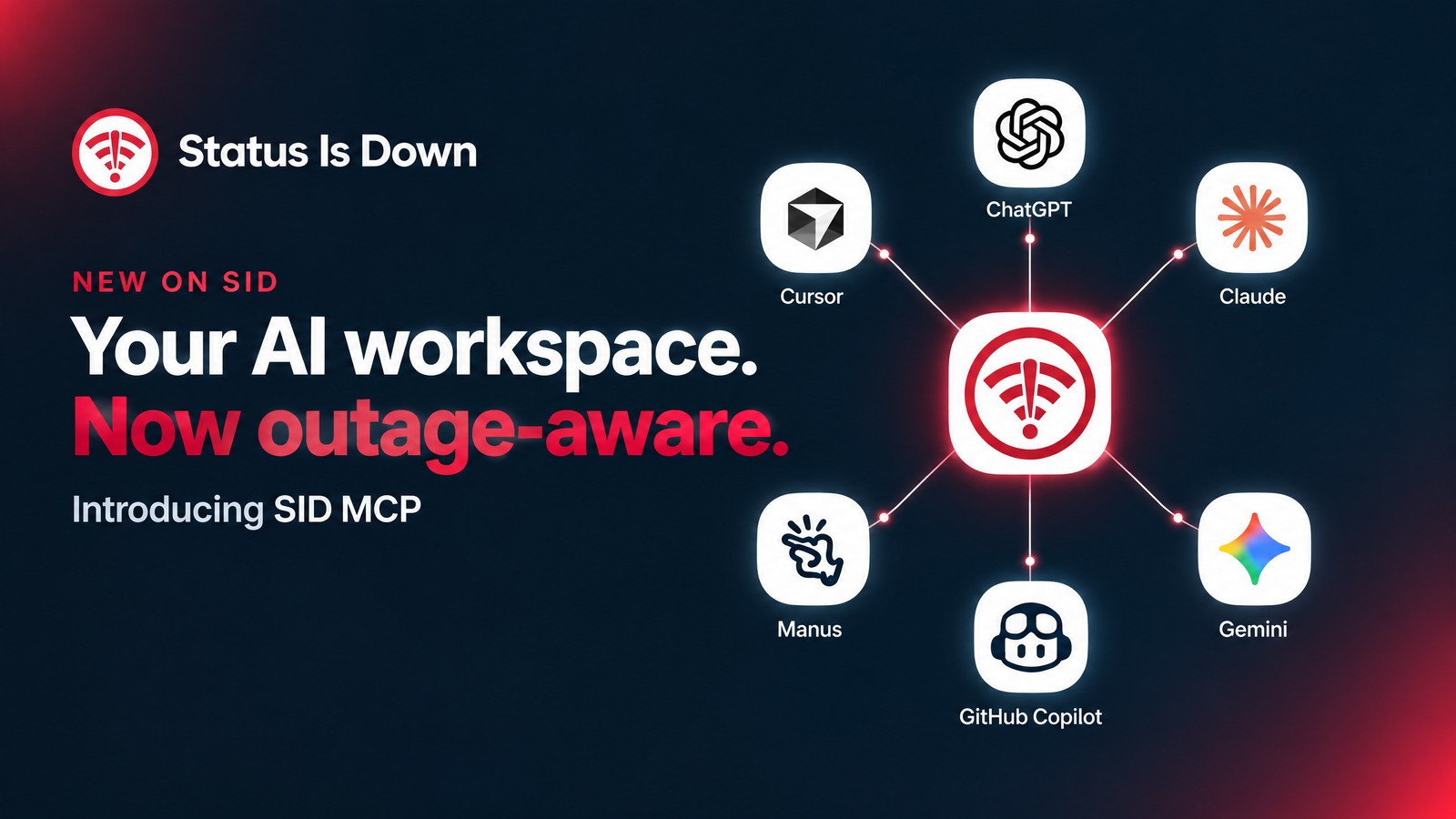
Your AI assistant can help shape a campaign, refine a prototype or explain a stubborn piece of code. But when an online service stops responding, the problem may have nothing to do with your prompt.
Status Is Down has launched SID MCP, a read-only connection that lets compatible AI clients request outage information from the service. Rather than leave a conversation to investigate every interruption in a separate browser tab, an authorized AI client can bring available service-status information into the workflow you are already using.
For designers, developers and creative teams working across cloud tools, the appeal is straightforward: get a better starting point for deciding what to check next.
What MCP adds to an AI workflow
MCP stands for Model Context Protocol, an open standard for connecting AI applications to external systems. It gives a compatible client a common way to request information from a connected service, rather than relying only on what an AI model learned during training.
SID’s contribution is a focused source of outage context. Its MCP server can answer supported questions about monitored services, draw on available community-report history and surface disruption signals.
That distinction matters. SID MCP does not fix the affected service, repair your internet connection or make an unavailable AI assistant start working again. It gives an available, authorized client another source of information to consult.
A more useful question than “Why isn’t this working?”
Imagine a creative team preparing a launch. Messages are not getting through, a cloud dependency is behaving inconsistently, or an AI-assisted development task has stalled. Before changing a project’s settings, the team wants to know whether there is evidence of a wider service problem.
An example question might be, “What disruption indicators are recorded for Slack?” Another could ask whether reports have recently increased for a monitored service, or request its available daily report history. These are examples of the questions the tools support—not claims that a particular service is currently experiencing an outage.
SID MCP offers six query functions: status checks, historical data, geography reports, problem indicators, real-time report-spike queries and service-name lookup. The lookup helps identify the correct catalog entry before a more specific query. Historical data covers available daily community reports for up to 31 days; geographic detail depends on the evidence available.
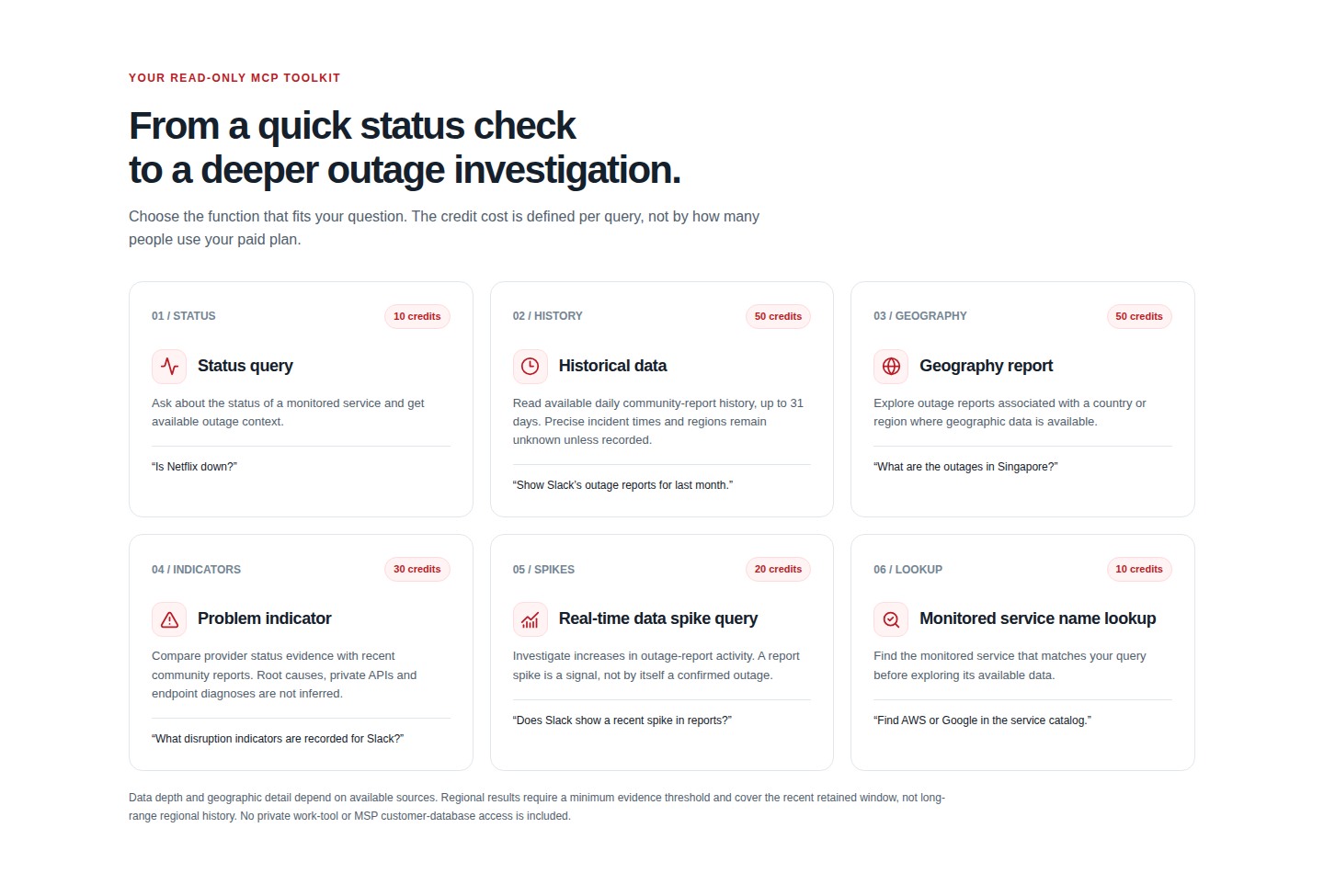
A rise in reports is not, by itself, confirmation of an outage. Nor does it establish a root cause. That makes the output a starting point for investigation, not a substitute for judgment—or a reason to promise clients a recovery time the evidence does not support.
How to connect SID to your AI workflow
Getting started begins with your SID business account. Sign in or create an account, open MCP Dashboard and choose the setup guide for your preferred AI tool. SID now provides platform-specific instructions covering Claude, ChatGPT, Cursor, GitHub Copilot, Manus, Gemini CLI, Meta Muse and Microsoft 365 Copilot.
Claude users can find Status Is Down through the connector directory and authorize their SID business workspace. For ChatGPT and Cursor, the guides explain remote MCP configuration and the browser-based authorization flow.
For developers, the GitHub Copilot guide covers adding SID’s HTTP server in VS Code. The Manus guide explains custom MCP configuration, while the Gemini instructions cover Gemini CLI—not the consumer Gemini app. Meta Muse users can search their available connectors; Microsoft 365 Copilot setup is managed by a tenant administrator.
One endpoint connects the workflow: https://statusisdown.com/api/mcp. Complete the authentication supported by your client, confirm the SID account you are authorizing and start with a specific question about a monitored service. Client subscriptions and organization settings may affect which connection options are available.
Find your AI tool and follow its setup guide →
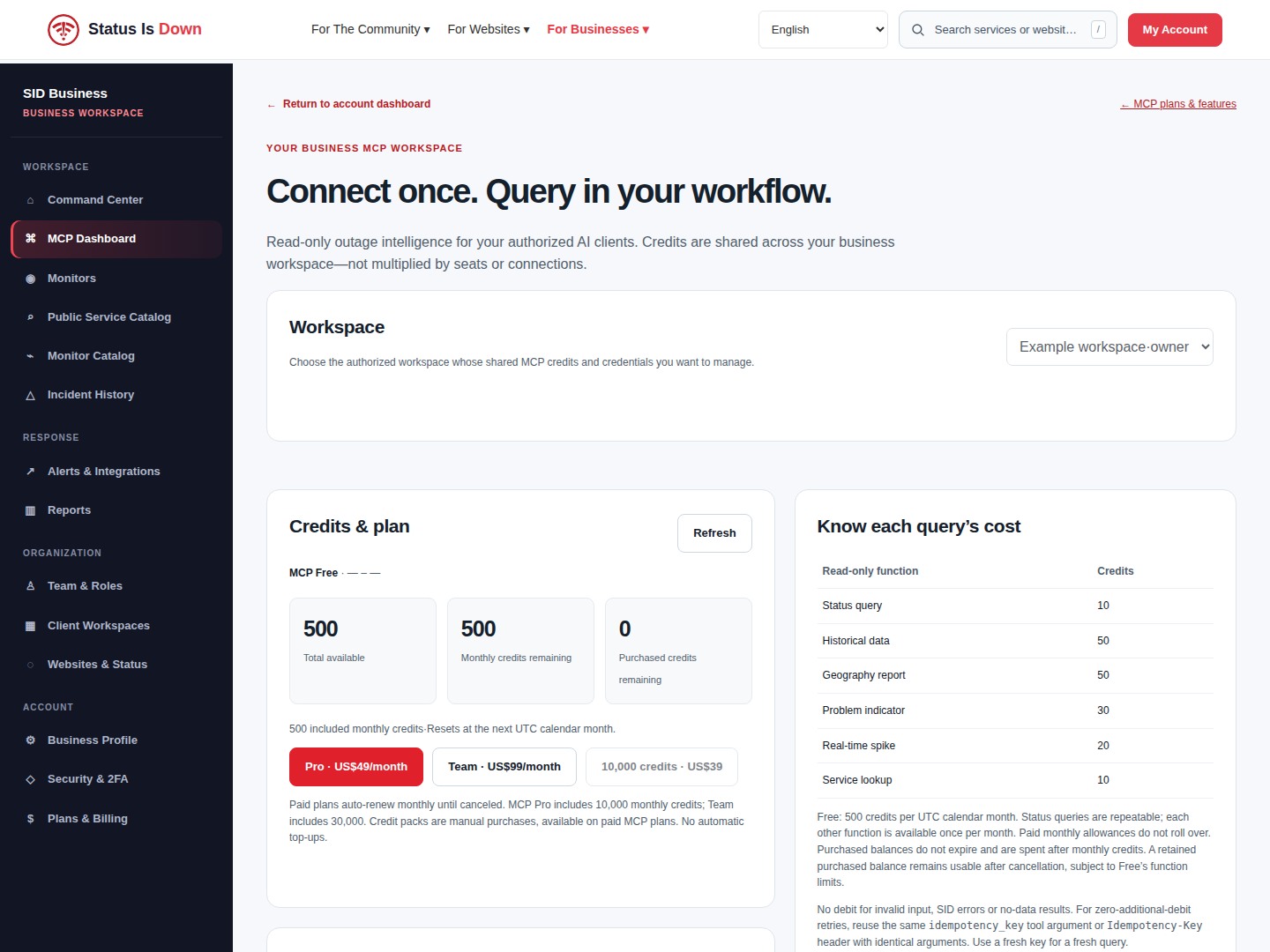
Start with 500 free monthly credits
MCP Free includes 500 credits each UTC calendar month, with no card required. Status queries cost 10 credits and can be repeated within the balance. Each of the other five functions can be used once per month on Free, at its listed cost.
For higher query volumes, MCP Pro costs US$49 per month for 10,000 monthly credits, while MCP Team costs US$99 per month for 30,000. Both paid plans share credits across unlimited authorized users within one business workspace. They renew monthly until cancelled, and included monthly credits do not roll over. Full credit terms are available on the product page.
MCP is a separate business product from SID’s personal and monitoring subscriptions; creating an account does not automatically purchase a paid plan.
For a creative workflow that already includes an AI agent, the next useful addition may not be another generation tool. It may be a clearer view of what is happening when the tools around it stop responding.
Source: Status Is Down


