
iPhone Home Screens Are Customizable With iOS 14, Here’s How To Redesign Yours
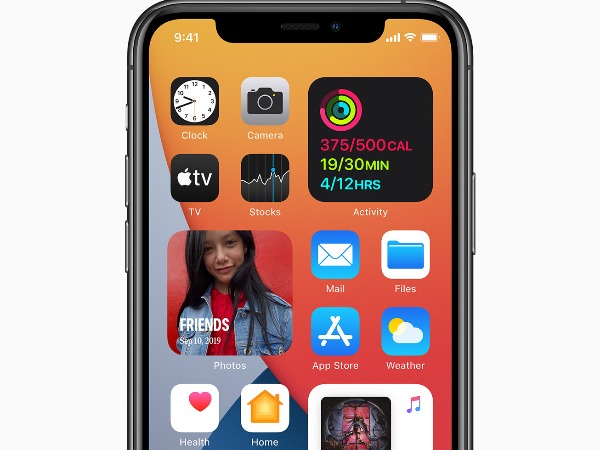
Image via Apple
Apple has released its latest iOS 14 update, and many people are starting to utilize the Shortcuts app which allows users to customize their home screens according to their preferences.
Internet users have been sharing a plethora of designs of their iPhone home screens in a variety of themes, including Star Wars, Friends and even the nostalgic Microsoft Paint aesthetic. With more freedom on your hands, the possibilities are virtually endless.
If you would like to join on board and express your creativity through your iPhone home screen, here are the steps to get started.
Firstly, you need to check if you have the Shortcuts app on your device. If you don’t, simply download it via the App Store.
On the app tap the ‘+’ icon at the top right-hand corner, and then select ‘add action’.
Pick out the app icon you want to start customizing with ‘open app’. Then, edit the name and add a file to change its design.
Finally, you can edit the background to match the icons, or leave it as it is, but be sure to remove the existing icon from your home screen to avoid having repeated shortcuts.
There are many ways to give your home screen a makeover. Check out some designs by other Twitter users for some inspiration.
My four screens are all Friends themed! #ios14homescreen #widgetsmith pic.twitter.com/5TkkIg6y8x
— JJ (@thatonegirljj) September 20, 2020
Here’s my new edition. I am officially an insomniac.
— 🏳️🌈 (@TomHarveey) September 21, 2020
#ios14homescreen pic.twitter.com/iPL1J6raxq
I worked very hard on this #ios14homescreen pic.twitter.com/tdFFaLMKA1
— ~jacq-attaq~ (@jacque_bischoff) September 21, 2020
here’s my homescreen! 👼🏻☁️🌸💍
— sydney (@sydney_gordon22) September 21, 2020
took a while but i love it 🤍#ios14homescreen pic.twitter.com/A0hOlTBt3Y
very satisfied #ios14homescreen pic.twitter.com/7ICMYGM0DQ
— 𝖘𝖆𝖗𝖎𝖓𝖓𝖆 (@sarinnaaa) September 20, 2020
My Attempt to make an Aesthetically pleasing homescreen #iOS14 #ios14homescreen pic.twitter.com/Se1v52QbJ2
— ✨ (@Lunar_Arsonist) September 20, 2020
YALL LOOK WHAT MY SISTER DID WHILE I WAS ASLEEP 😭😭💕 #ios14homescreen pic.twitter.com/Nwun4ZsbYq
— Crocodile Dungy 👑 (@Dungyinawrap) September 22, 2020
[via TechCrunch, cover image via Apple]
Also check out these recent news


