
Amazon Prime Video Gets Its Most Dramatic Redesign Yet To Take On Netflix
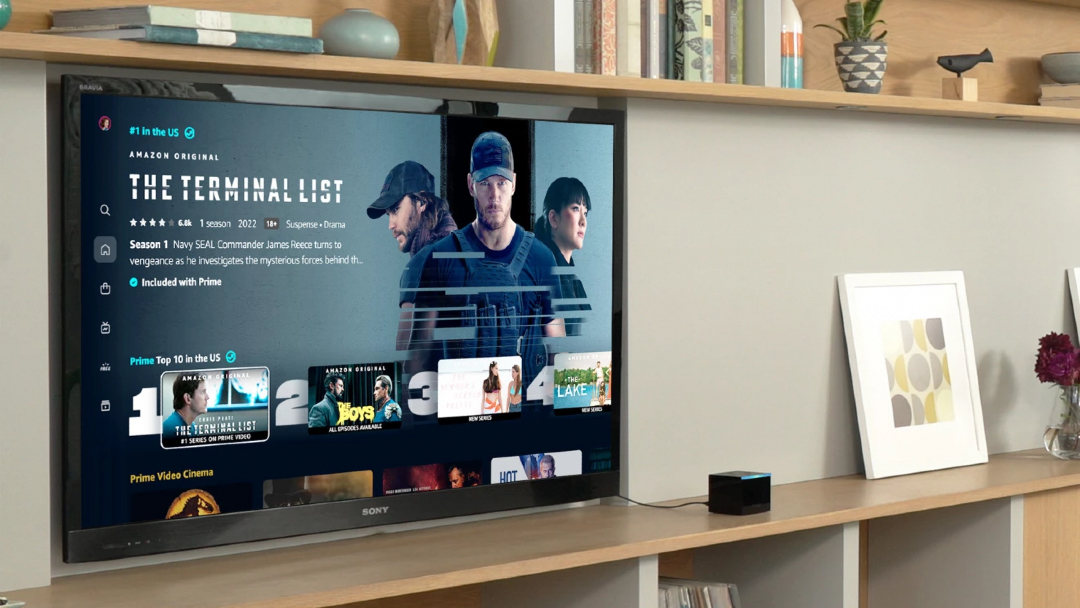
While customers have a pretty painless experience shopping on the massive online marketplace that is Amazon, the same can’t be said for navigation on its Prime Video platform. With streaming rivals coming in hard, Amazon’s entertainment wing will have to put more effort into its user experience to keep up, or risk being let go by frustrated subscribers.
At long last, the e-commerce giant is making changes to Prime Video’s rudimentary yet cluttered design. A facelift 18 months in the making, it features a more intuitive home screen, a bolder memorable color palette, vibrant carousels, and simplified navigation. The Prime Video redesign will begin rolling out this week across living room devices and Android phones, followed by desktops and iOS.
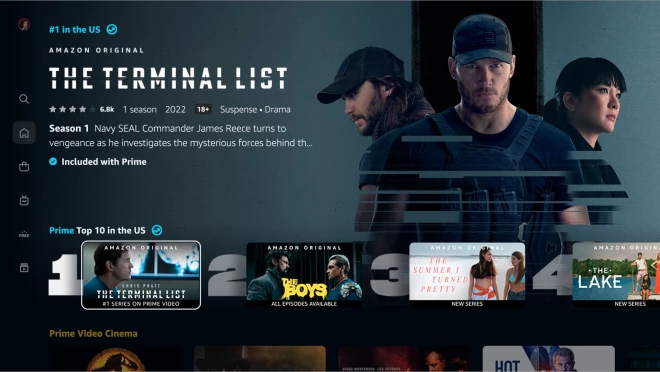
Right off the bat, you’ll notice a deeper color scheme that blends with the now-elevated imagery.
Here’s a preview of the all-new main navigation menu:
And here’s what it was like before:
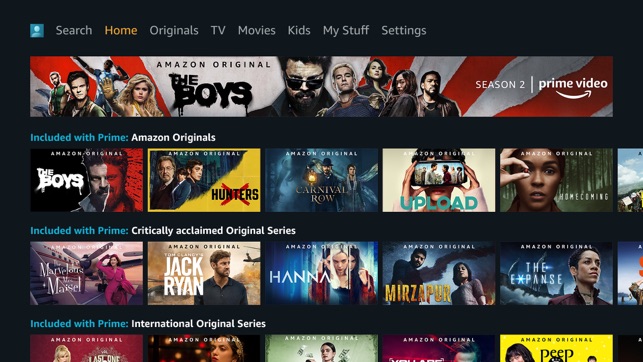
The card layout was refreshing, like, eight years ago.
“Our new carousels also showcase titles in a way that makes the experience less busy and overwhelming for our customers,” Prime Video explains in a blog post.
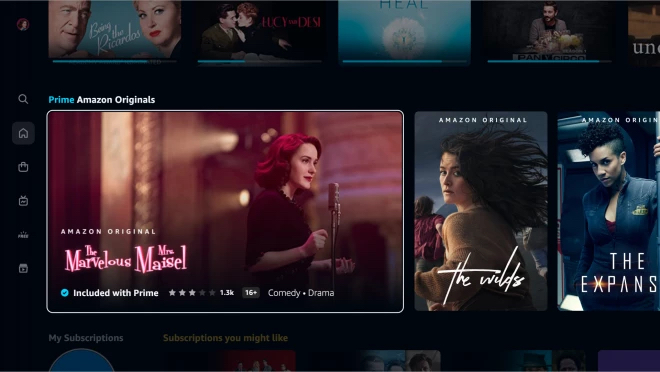
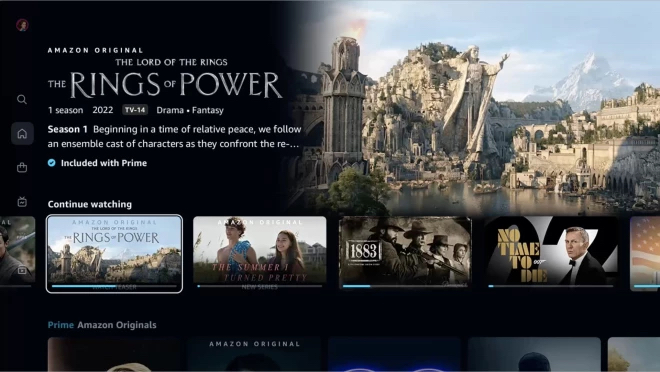
Visuals aside, Prime Video has overhauled its menus from the ground up so users can access its repository of films, television shows, sports programs, and premium channels more easily. Plus, six primary pages—Home, Store, Find, Live TV, Free with Ads, and My Stuff—filters out the fat.
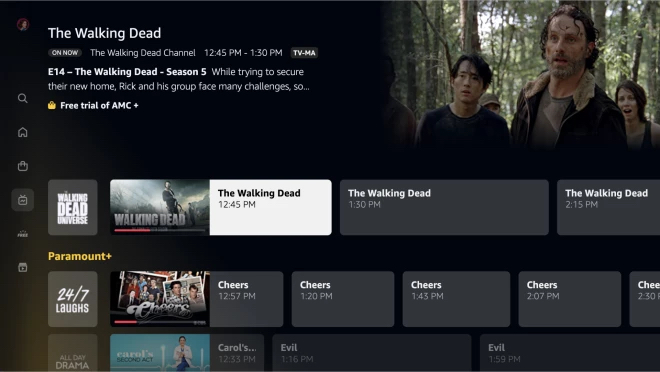
Sporting fans will also be able to reach Prime Video’s sports programming more seamlessly, thanks to a new Sports menu on the homepage.
Another pet peeve of subscribers was how Prime Video failed to differentiate free from paid content upfront. Now, titles will be properly marked with visual cues—with free shows being labeled with a blue checkmark; and titles for rent, purchase, or subscription being distinguished by a shopping bag icon. All available programs for the user’s membership tier will now also be located in a My Subscriptions tab.
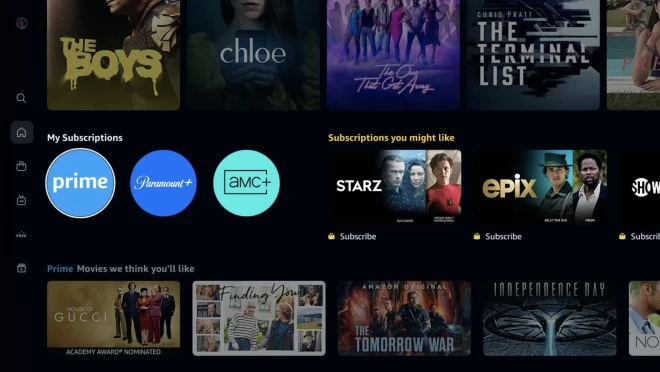
Taking a leaf from Netflix’s book, the new Prime Video will also have a Top 10 Chart, displayed in a carousel.
Last but not least, the revamped Find page streamlines the search experience by allowing users to look up specific titles, genres, and collections. They can also whittle titles down to viewing quality.
[via TechRadar and New York Times, images via various sources]


