
Adobe Brings ‘Photo Restoration’, Smarter Selections, Collab Tools To Photoshop

Adobe has unveiled its new and improved iteration of Photoshop, making the popular image editing application even more intelligent.
Placing collaboration at the forefront to aid the growing community of creatives working from their homes, a new ‘Share for Review’ feature will allow users to share their work and receive feedback within the same application.

Need something to be approved quickly? Simply send a web link to that particular version of your work, with collaborators and clients able to review the project and comment directly from the browser, even without a Creative Cloud subscription.
Furthermore, this function works for those who are always on the go, syncing comments and updates across multiple devices, so you’ll always get the most up-to-date version.
In addition, more AI-powered functions will be added to Photoshop, including a much more sophisticated ‘selection improvements’ tool that will allow complex objects to be selected with a single click—enabling accurate selections of tricky subjects like water, plants, and different types of flooring.
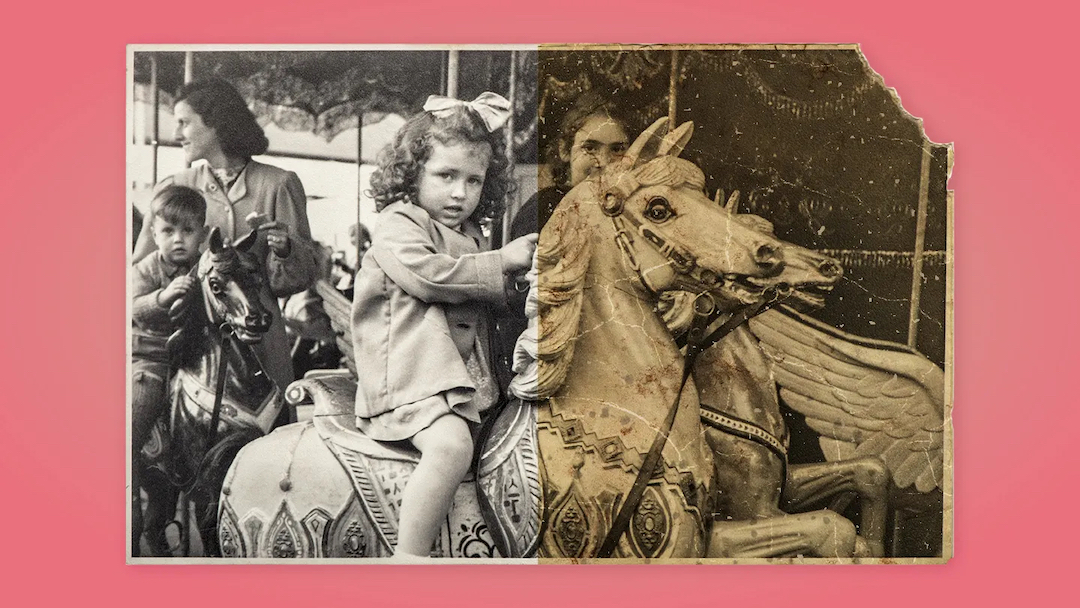
When working with older images, users will also be able to try out Adobe’s latest ‘Photo Restoration’ Neural Filter that, while still in beta testing, will help restore damaged pictures via machine learning, removing any scratches or imperfections clouding the photographs.
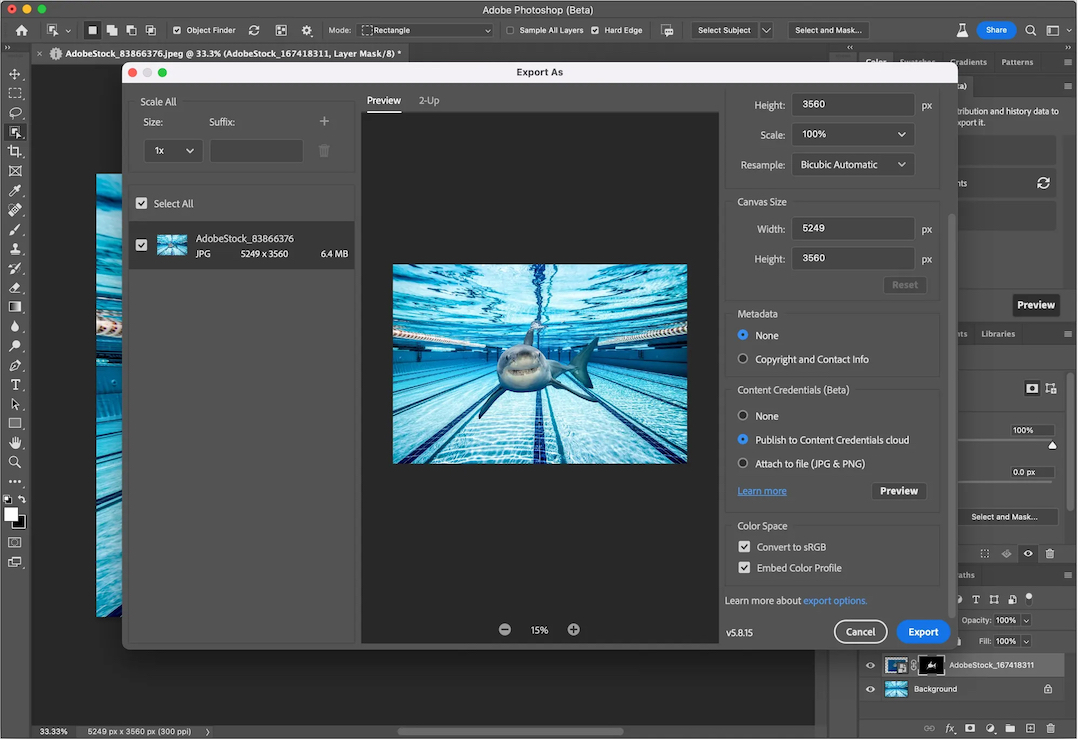
Additionally, a beta ‘Content Credentials’ feature will allow users to attach important attribution information to their files before exporting, ensuring that creators will be properly credited for their work.
A separate update to last year’s ‘Paste as Layers’ tool will also include new copy/paste live text from Illustrator onto Photoshop, preserving different typefaces, font sizes, alignment, and orientation for seamless transfer between the two applications.
On the web application, the new ‘one-click delete and fill’ option will enable users to remove objects from images with just one click, filling in the empty space with content-aware fill.
With Photoshop and Lightroom AI features being used over 1.3 billion times within the last year, there’s no wonder Adobe is looking to add more of such tools for users, helping to remove the brunt work of mundane tasks and giving creatives more time to work on things that matter.
[via Adobe]


