
Photoshopped Or Not? Here’s How To Know If A Photo Was Digitally Manipulated
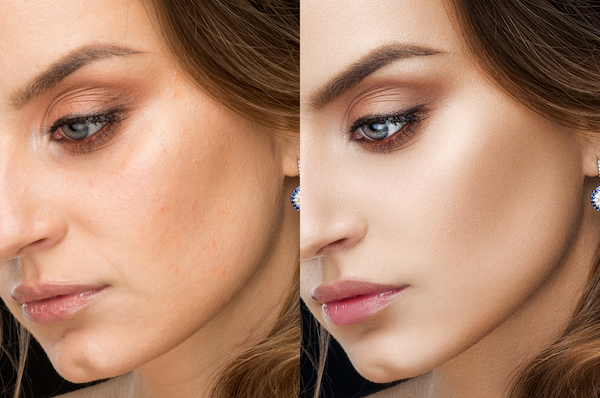
Image via Shutterstock
Earlier this week, Rep. Paul A. Gosar shared a fake photo of former US president Barack Obama shaking hands with Iranian president Hassan Rouhani.
To the uninitiated, this image might look real:
The world is a better place without these guys in power. pic.twitter.com/gDoXQu9vO5
— Paul Gosar (@DrPaulGosar) January 6, 2020
The original photo was captured in 2011, and while Obama was indeed in the picture, he was actually posing with former Indian prime minister Minister Manmohan Singh.
Upon closer inspection, you can tell the viral image was doctored from the smudged star on the left American flag, Rouhani’s bizarrely short arm, and the patch of noise on the white part of the flag between the shoulders of both world leaders.
Obama and Rouhani never met in person, and, while Obama left office in 2017, Rouhani is still in power. The real photo was taken at a 2011 meeting between Obama and then-Indian Prime Minister Manmohan Singh. pic.twitter.com/jdDuZ9gb3t
— Nora Walsh (@NoraWal47072212) January 7, 2020
It’s getting difficult to discern truth from fiction. Photo edits can be so realistic, Adobe itself created an AI to determine if pictures have been photoshopped or not.
For the rest of the world who can only depend on their oftentimes unreliable sight, there are a few ways to tell if an image might have been digitally altered, according to an extensive The Washington Post report. Here’s how:
1. Reverse image search

Screenshot via Google
Upload the photo on Google Image Search, which will then generate similar versions of the image. If it was doctored, you’ll likely be able to find the original in the search results.
2. Verify on fact-checking sites
There are sites like Snopes.com and Media Bias/Fact Check you can follow that run fact checks on claims that are going viral online.
3. Check if the photo is difficult to fake
Obama and Rouhani never met in person, and, while Obama left office in 2017, Rouhani is still in power. The real photo was taken at a 2011 meeting between Obama and then-Indian Prime Minister Manmohan Singh. pic.twitter.com/jdDuZ9gb3t
— Nora Walsh (@NoraWal47072212) January 7, 2020
According to Fast Company, certain photos can be harder to manipulate, such as complex physical movements and backgrounds. Clues that the image of Obama and Rouhani is fake include how the physical interaction and backdrop were more or less retained.
[via Washington Post, images via various sources]
Also check out these recent news


