
Apple Has A Fix For MacBook Pro Notch Eating Into The Menu, And It’ll Do For Now
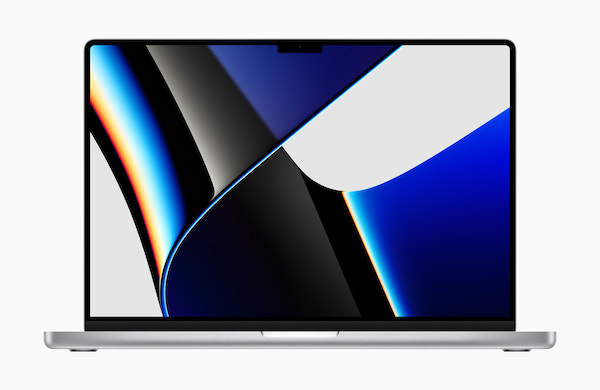
Image via Apple
As with the introduction of home button-free iPhones, users clamored when Apple gave the 2021 MacBook Pros their own notch, where a 1080p camera is stashed into. The gripes are especially understandable in this instance; it seems that the notch sometimes overlaps with the menu bar, causing some options to be hidden—but still clickable—under the black pill.
WTF HAHAHAHA HOW IS THIS SHIPPABLE? WHAT IS THIS?! pic.twitter.com/epse3Cv3xF
— Quinn Nelson (@SnazzyQ) October 26, 2021
Apple has rolled out a fix for this design annoyance, but it’s admittedly not as helpful as a system-wide software update. As per BGR, in a new support document, the Cupertino tech giant outlines an option to shift and scale the user interface down “if app controls or menu bar items appear blocked or hidden under the camera housing.” You’ll have to do this manually for every app affected by this issue.
“You can turn on ‘Scale to fit below built-in camera’ for the app to adjust the active area of your display. This ensures the menu bar and app windows appear below the built-in camera on your Mac and are always visible,” Apple details.
To enable it, you’ll need to quit the app first, and then open the Finder app to access the Applications directory. Select the affected app, then click on File > Get Info and check “Scale to fit below built-in camera.”
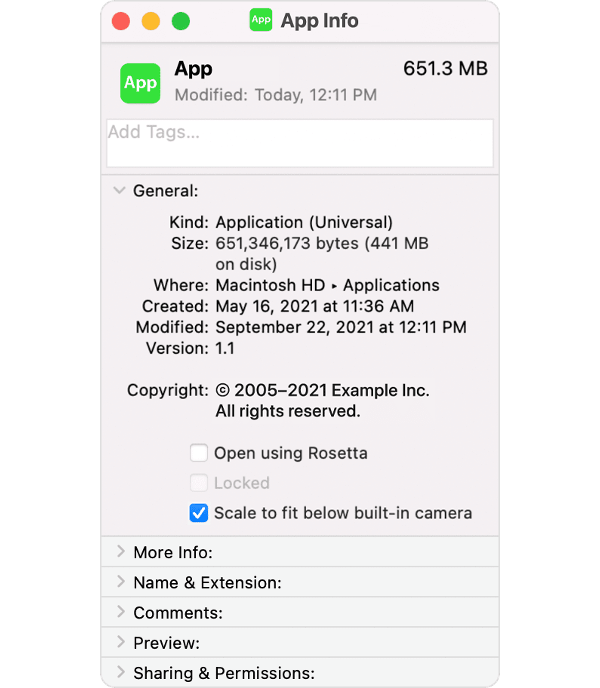
Image via Apple
Aside from the fix being a little cumbersome to access, by activating it, it means that measurements of your display would be downsized to be able to move under the notch.
Good news for notch haters! If you've got an app (or apps) with menus that collide with the notch, just Get Info on the app, and enable "Scale to fit below built-in camera".
— Joseph from Sketch (@Jatodaro) October 27, 2021
While the app is running (even in the bg), your display is scaled.#Apple #M1Pro #M1Max #MacBookPro2021 pic.twitter.com/nlGqkFkXAH
Apple also encourages developers to update their apps so the menu bar would no longer merge with the notch. Compatible apps will no longer have the “scale to fit below built-in camera” option since there’ll be nothing left to scale.
It’s hoped that Apple would tackle this buggy issue in an upcoming macOS update, but for now, this might be sufficient.
[via BGR, cover image via Apple]
Also check out these recent news


