
Apple Releases Free Design Resources For iOS 15, Including Templates & Fonts
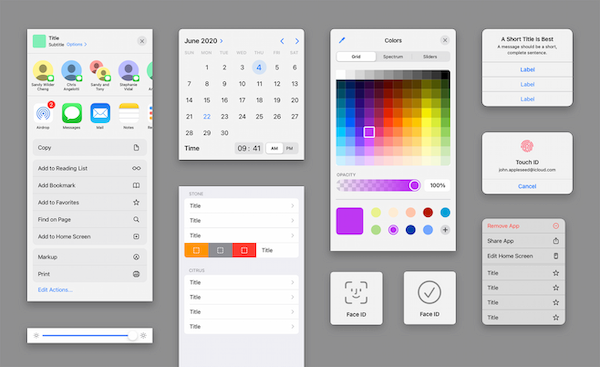
Image via Apple
With a new massive iOS update comes new ways to design the operating system. Thankfully, there’s no need to go back to the drawing board; Apple has rolled out a whole collection of design materials for iOS 15 and iPadOS 15 that app developers can build upon via their go-to apps “quickly and accurately.”
The release accompanies a redesigned human interface guidelines page envisioned to help you locate resources more easily. Previously, you’d have to browse through the lot to find a relevant asset, but the new version lets you hop to individual OS sections to get around quickly, 9to5Mac reports. Categories at the top directly hook you up with resources for iOS & iPadOS, macOS, watchOS, tvOS, technologies, fonts, SF Symbols, and marketing imagery respectively.
New templates include a Sketch library, design templates (with Siri, Wallet, and Apple Pay assets), and production templates—with varying compatibilities with Sketch, Adobe XD and Photoshop. Within, you’ll find materials for the overhauled Home Screen, new widgets, components for Touch ID and Face ID, and other UI elements. You’ll also be able to access Apple’s new system fonts and symbols from this page.
(1/5) Big updates to the Apple Design Resources! We’ve updated the iOS and iPad OS Sketch and XD resources to iOS 15. Colors, updated Home Screen, widgets, notifications, keyboards, table views, wheel of time pickers, buttons, and more.https://t.co/i1pb2vwlDK
— Mike Stern (@themikestern) October 25, 2021
Worth mentioning is the font change in the templates, which used to feature SF Pro Text and SF Pro Display. This time around, they sport a “more modern variable version of SF Pro,” says Mike Stern, Apple’s Platform Experience and Design Evangelism Manager. Grab them all here.
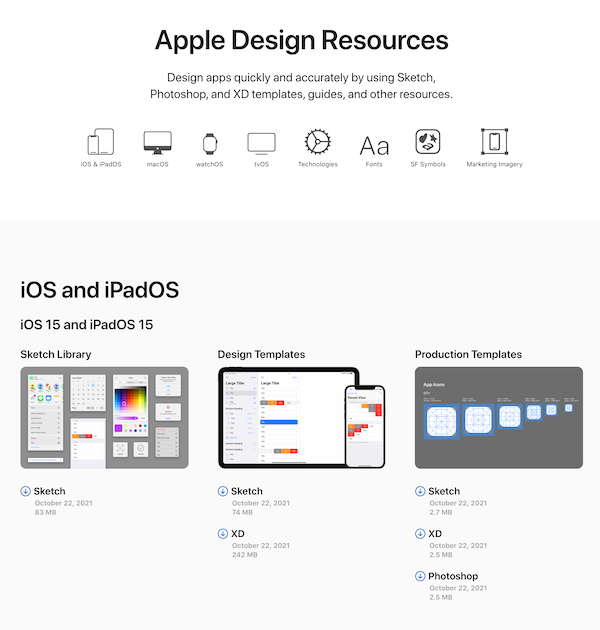
Image via Apple
[via 9to5Mac, images via Apple]
Also check out these recent news


