
iPhones Have A Secret White Noise Machine You Probably Didn’t Know About

Photo 245966951 © Snowingg | Dreamstime.com
If your eyelids get heavy from the sound of rain or waves crashing against the shore, there’s a chance you sleep better with white noise. Many swear by its calming effects and may even recommend you to purchase a dedicated machine—but the truth is you probably already own one, and it’s the very same thing you use to snap photos or take phone calls.
All iPhones running on iOS 15 or later have a built-in white noise generator you can use to help you fall asleep, HuffPost points out. Except, Apple doesn’t call it white noise but a ‘Background Sounds’ feature.
iOS 15, rolled out in 2021, is compatible with all iPhones starting from the 6S. For whatever reason, if you’re still using a seventh-gen iPod Touch, that will work too.
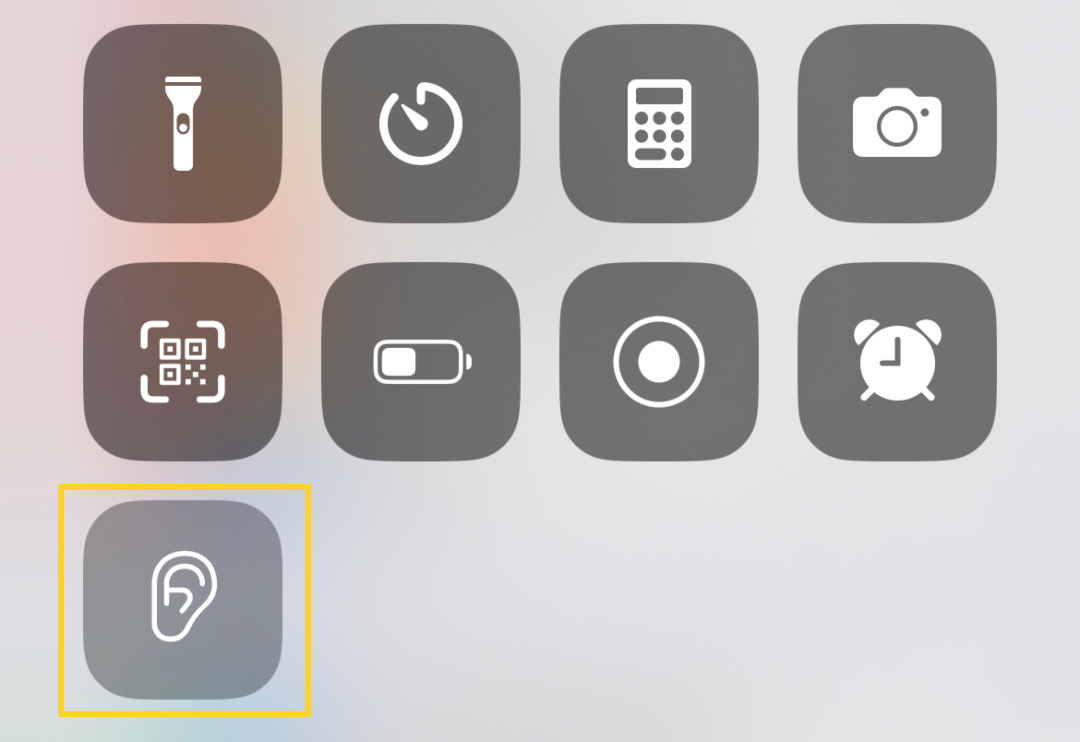
To easily access ‘Background Sounds’ every time you need them, you’ll need to add ‘Hearing’ to your Control Center pane. To do this, head over to Settings, then search ‘Control Center’, and add ‘Hearing’.
Now, you can play Apple’s background sounds whenever you need to destress or be lulled into a nice slumber. Simply pull down your Control Center from the top right corner of your iPhone, and you’ll see that an ear icon has been added to the menu. Tap on that to select a sound.
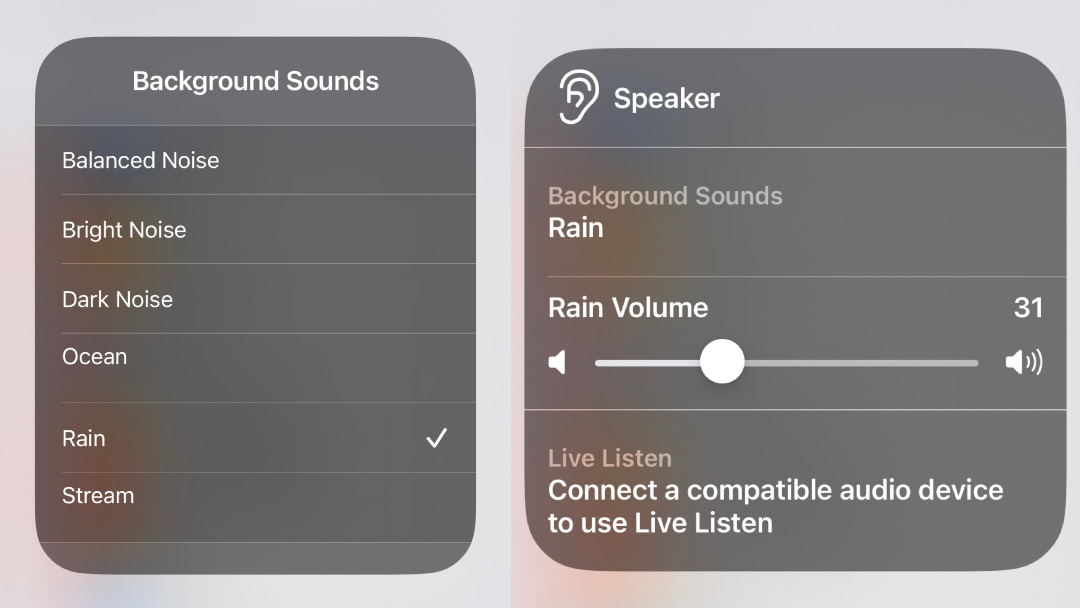
Your iPhone offers six ambient sound options: balanced noise, bright noise, dark noise, ocean, rain, and stream. You can also adjust the volume to your liking.
Just like how there are several ways to launch the Camera app for when the moment strikes (FYI: instead of locating the camera icon on your home screen, you can either swipe left on your lock screen or long-press the camera button there), it’s possible to modify your iPhone for easy access to background sounds in more ways than one.
You can also make an accessibility shortcut for the feature by heading to Settings > Accessibility Shortcut > Background Sounds, where you’ll be able to toggle the option to triple-click the side power button to launch the white noise machine.
White noise is constant sound that’s often used to mask changing sounds, which your brain is on high alert for. A consistent whirring or drip-drop eases the senses, making it easier for some people to focus or fall asleep.
If this feature sounds like a dream to you, you might also wish to try out this online feline sound generator that comforts the soul with purrs, or even LEGO’s playlist of brick sounds.
[via HuffPost and Pocket-lint, images via various sources]


