
Turn Mac Folders Into Cows For A Legen-Dairy Desktop Makeover
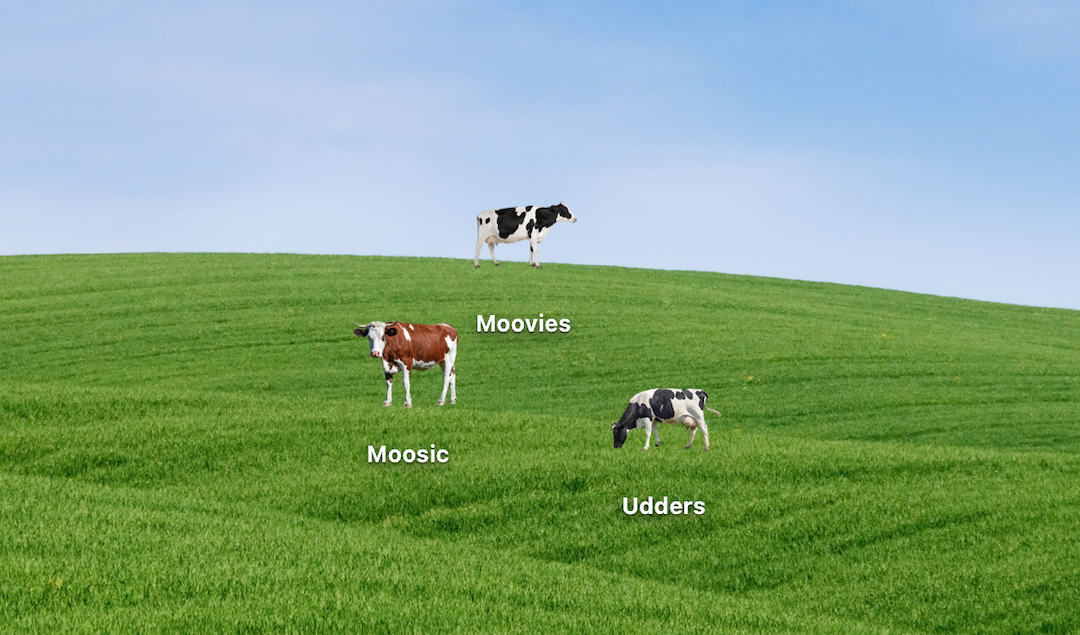
Are you feeling a little, er, moody and are seeking greener pastures? Here’s an adorable pick-me-up you might not have herd of.
Previously, we showed you how to change the colors of your Mac folders, but there’s apparently a new and improved way to brighten up your desktop. Oli Mollard, a visual communications designer and LEGO Master from New Zealand, has converted their wallpaper into frolicking grounds for little PNG cows.
In an intriguing video, Mollard, who goes by Oligator.jpg on Instagram, demonstrates how you can milk the chance to give your Mac icons an a-moo-sing facelift.
View this post on Instagram
Video by Oligator.jpg and featured with permission
First up, update your desktop wallpaper to a picture of a field. Then, find some photos of cows with transparent backgrounds. You can also isolate the cows using an appropriate background-erasing tool.
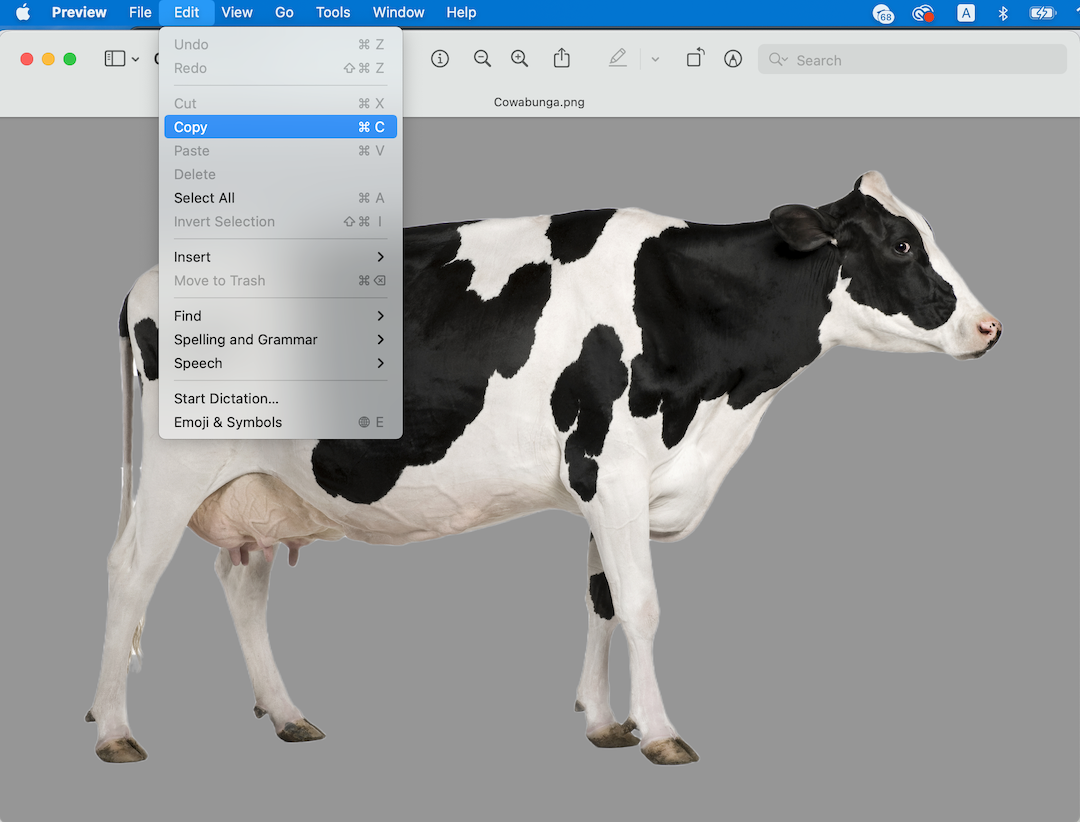
Now, open the cow images on Preview by double-clicking the files, and select Edit > Copy.
Head back to your desktop and right-click on a folder, then select ‘Get Info’. Click on the existing folder icon on the top-left of the window, and hit Edit > Paste.
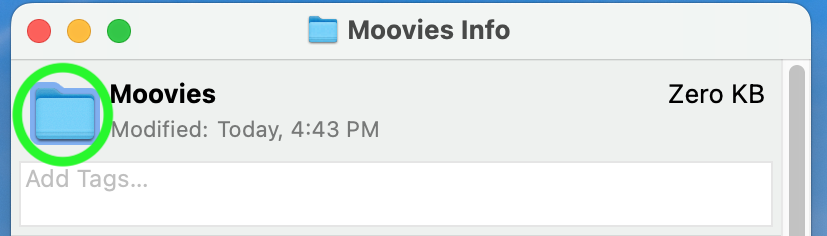

Keep doing the same for your other folders, or until the cows come home.

While you’re at it, why not make your farm inclusive and bring in other animals like chickens and pigs? We’re calling our refresh New Mac-Donald’s.
For more witty projects, make sure to follow Oligator.jpg on Instagram.
[via Oligator.jpg and featured with permission, images via various sources]


