
Zoom Introduces ‘Focus Mode’ So You No Longer See Distracting Co-Workers

Image via Zoom
Thanks, in no small part, to the pandemic, video conferencing platforms such as Zoom have become ubiquitous among office workers and students. From lectures to virtual events and weekly meetings, these apps have certainly become a staple in our daily lives, and it seems they’re here to stay.
Now, Zoom is addressing a problem that might be plaguing employees and students everywhere: distraction.
Ever find yourself staring at your office crush or favorite co-worker instead of paying attention to the speaker? Well, you’re not alone. Zoom is introducing ‘Focus Mode’, which will keep your attention on the main speaker.
According to SlashGear, when ‘Focus Mode’ is activated, users will not be able to see anyone else other than themselves and the speaker or teacher. The host will still be able to have a bird’s eye view of all participants, so you can’t doze off just yet. In this new mode, users will also be blocked from sharing their screens with other participants in the call.
Fortunately, ‘Focus Mode’ is available for all Zoom users, even those with free accounts. The platform also has other features that could reduce distraction, including breakout rooms for smaller discussions and the ability for users to “raise hand” should they have a query.
To enable the new offering, select “Account Management” followed by “Account Settings” on your Zoom navigation panel. Then, click on the “Meeting” tab, and enable “Focus Mode” which can be found under “In Meeting (Advanced). If you get a pop-up, click “Enable” to allow the change.
For more tips on how to make full use of this new offering, head over to Zoom’s site here.
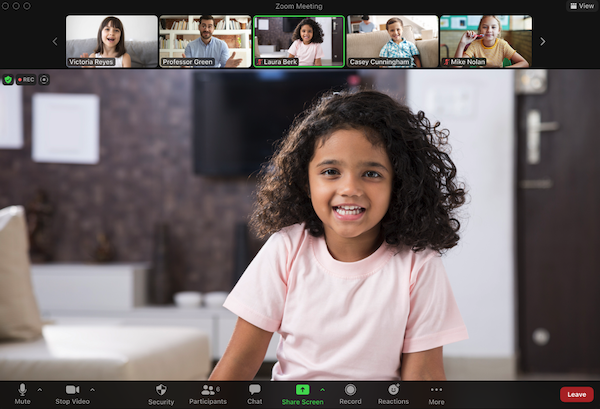
Image via Zoom
[via SlashGear, images via Zoom]
Also check out these recent news


